
Main /
Water Refilling Station – Cashiering Process
- STEP 1: Open MOT App
- Launch the MOT application on your device.
 |
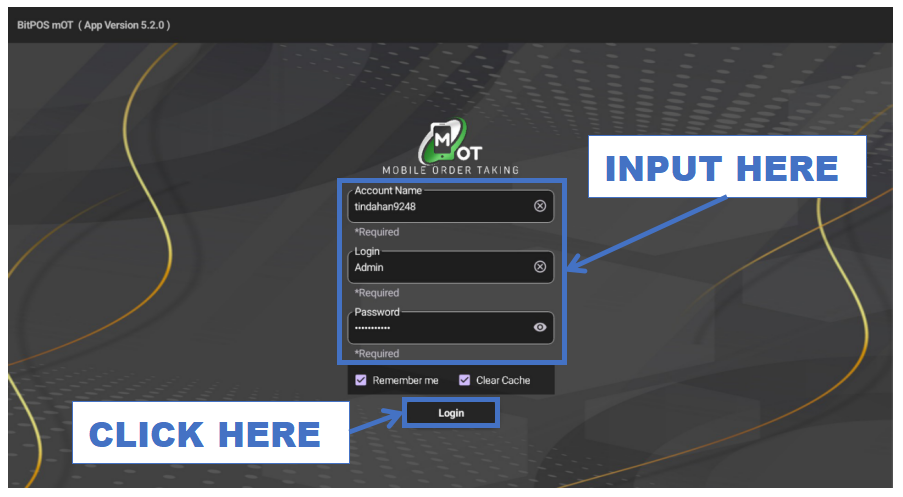
- STEP 2: Log In
- Enter your admin credentials to access the system.
 |
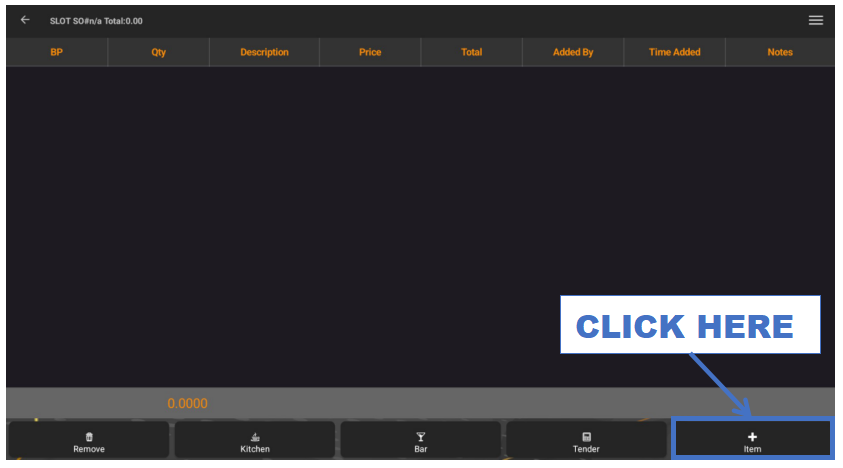
- STEP 3: Click + Item
- Tap the + Item button to start adding water products.
 |
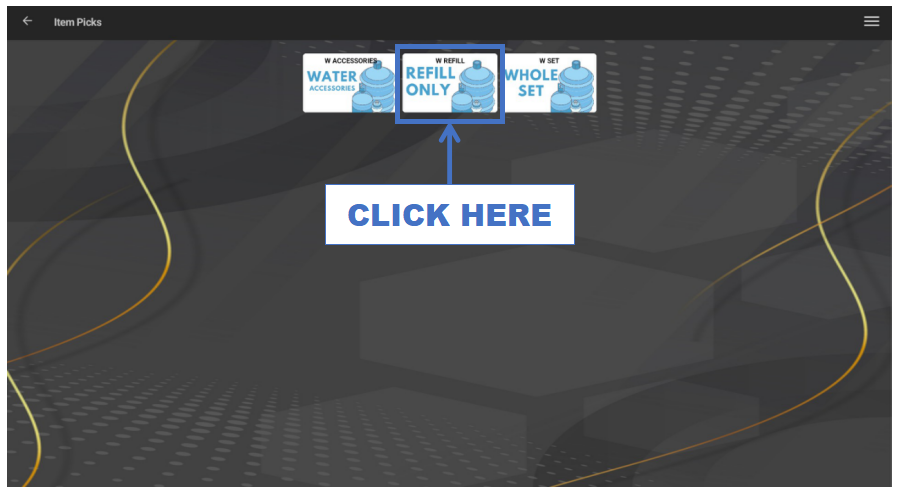
- STEP 4: Click Category
- Select the appropriate category (e.g., REFILL ONLY).
 |
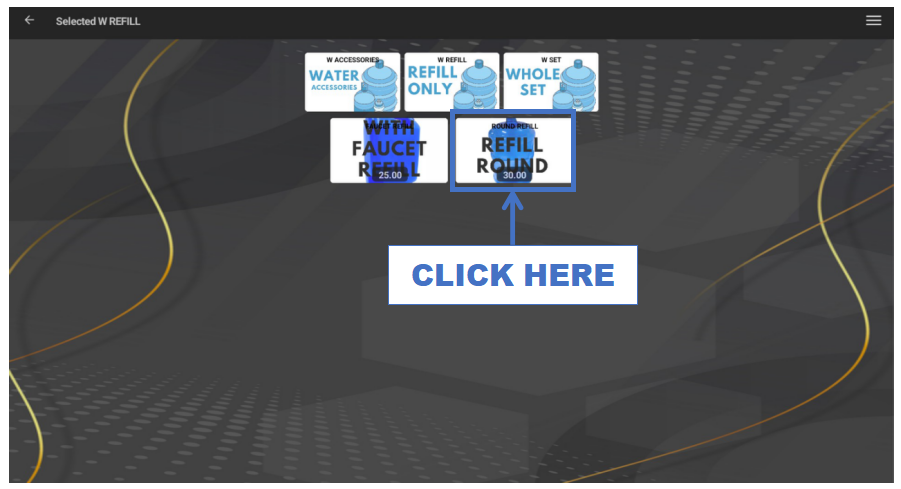
- STEP 5: Click Item
- Choose the water item (e.g., REFILL ROUND).
 |
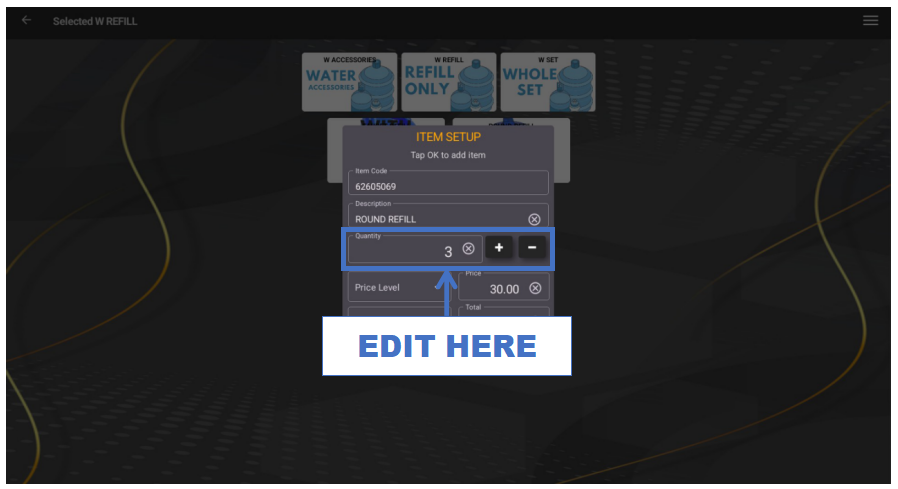
- STEP 6: Edit Quantity
- Enter the number of gallons or containers purchased.
 |
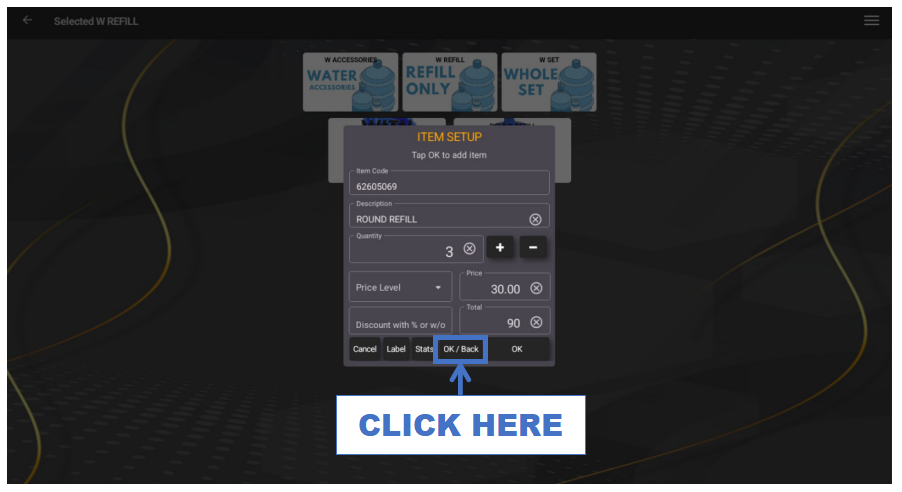
- STEP 7: Click OK/Back
- Save the quantity and return to the transaction screen.
 |
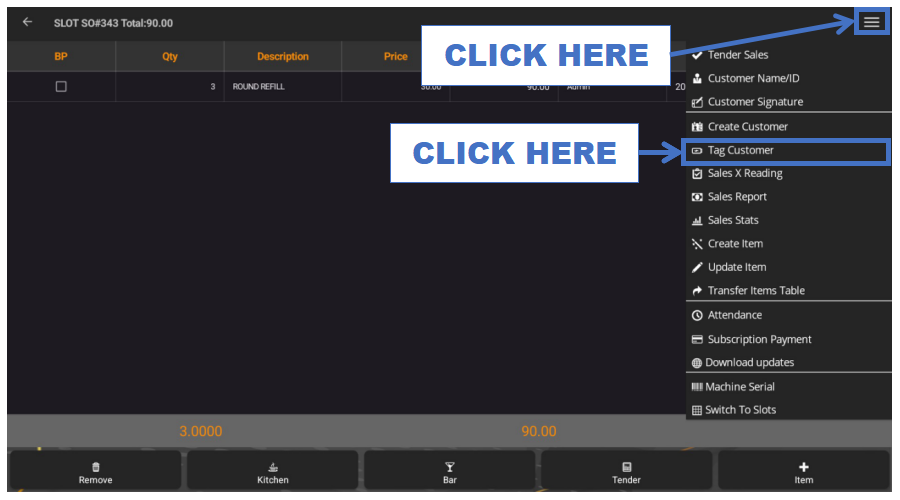
- STEP 8: Click Tag Customer
- Assign the sale to a specific customer.
 |
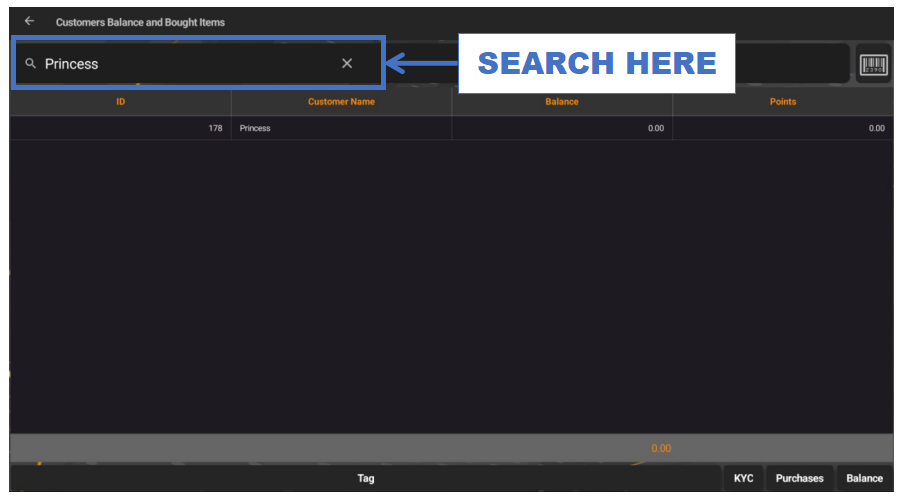
- STEP 9: Search Customer Name
- Type the customer’s name in the search bar.
 |
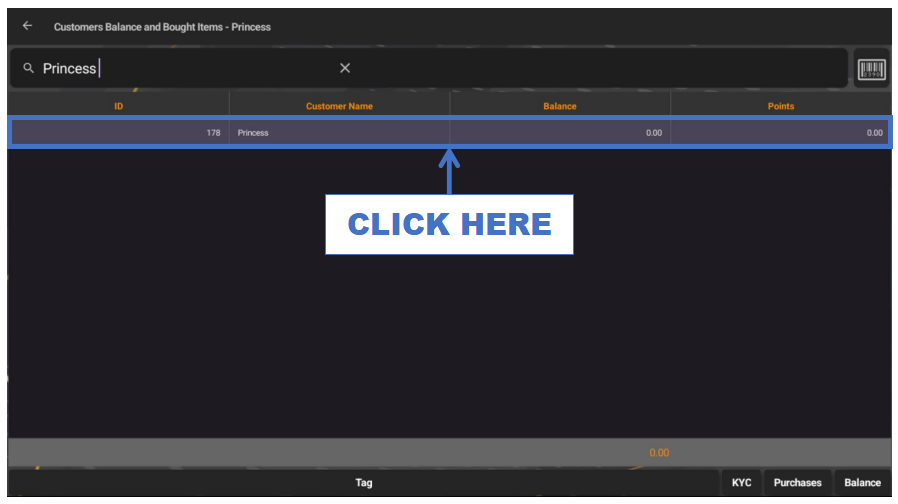
- STEP 10: Click Customer Name
- Select the correct customer from the results.
 |
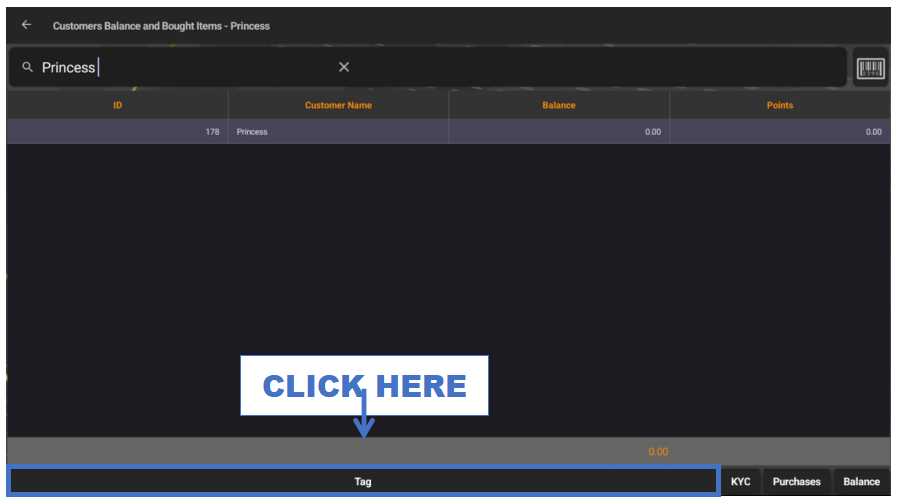
- STEP 11: Click Tag
- Confirm tagging the customer.
 |
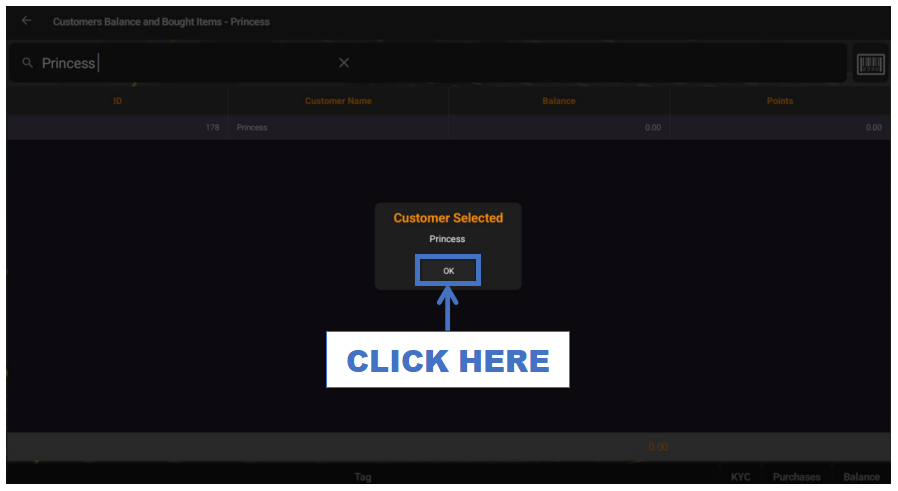
- STEP 12: Click OK
- Save the tagged customer information.
 |
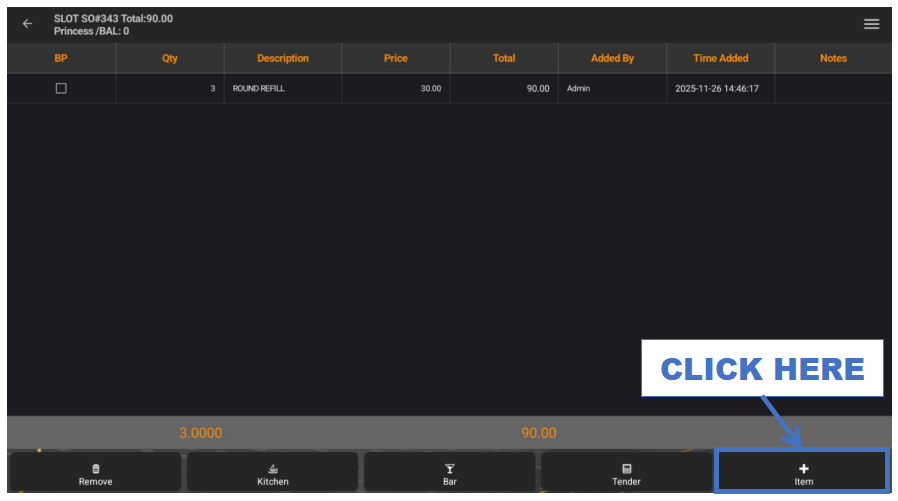
- STEP 13: Click Tender
- Proceed to the payment section.
 |
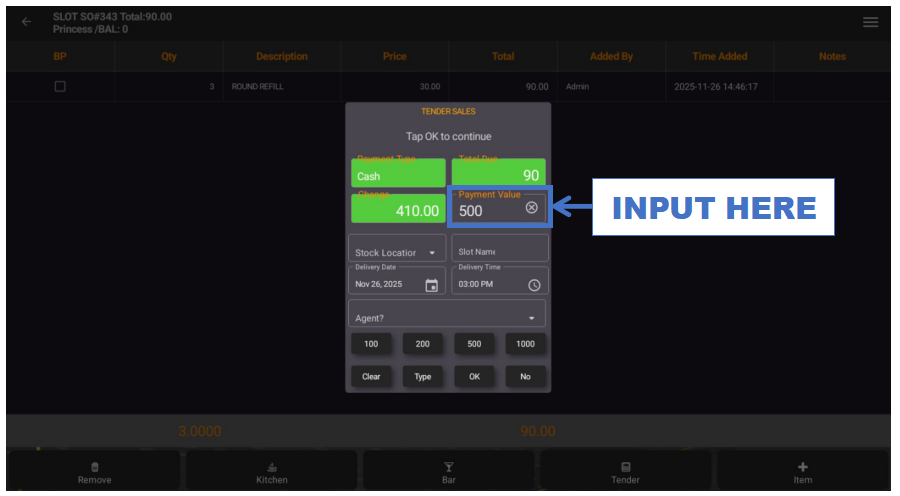
- STEP 14: Input Payment Value
- Enter the amount paid by the customer.
 |
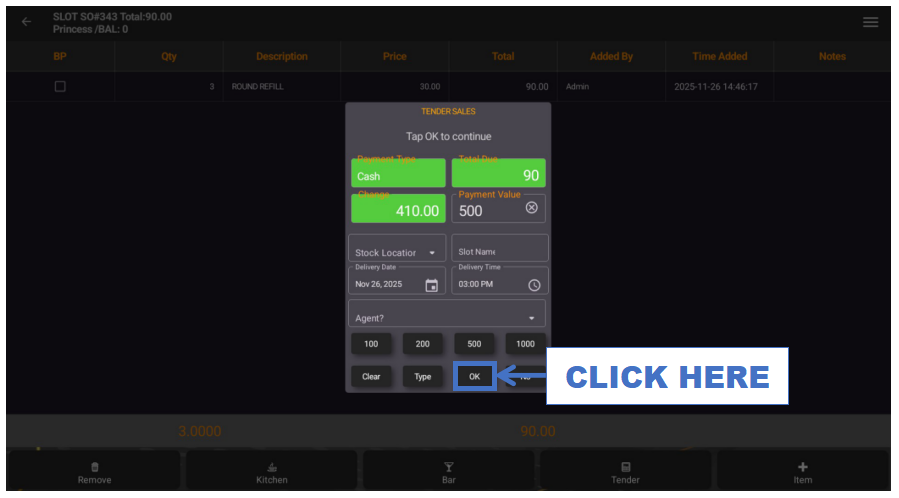
- STEP 15: Click OK
- Finalize and complete the transaction.
 |