
Main /
BitPOS TMD – Search Users
- STEP 1: Open the App
- Launch the TMD Application on your device.
 |
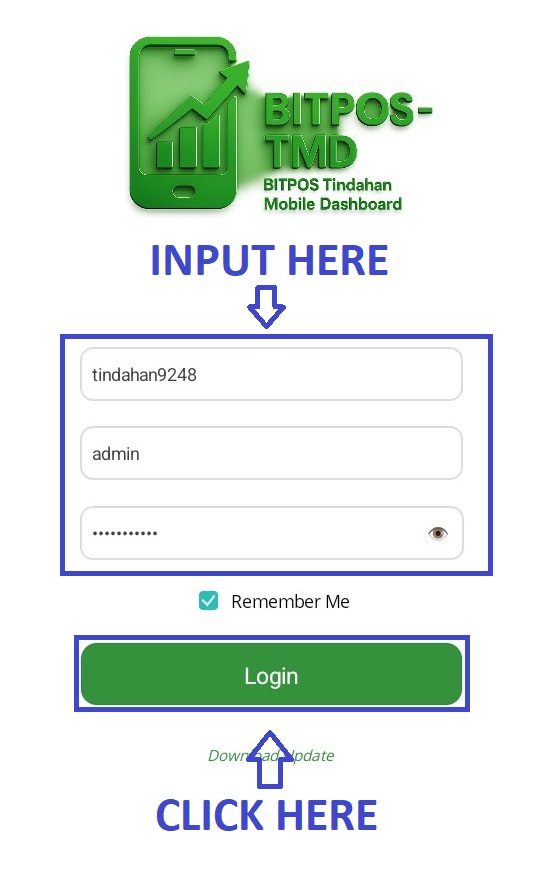
- STEP 2: Log In
- Enter your admin credentials to securely access the system.
 |
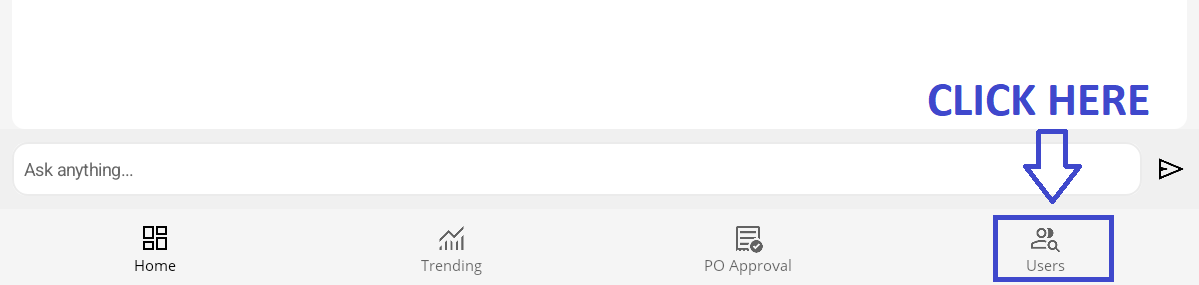
- STEP 3: Click Users
- Go to the Users section from the main menu.
 |
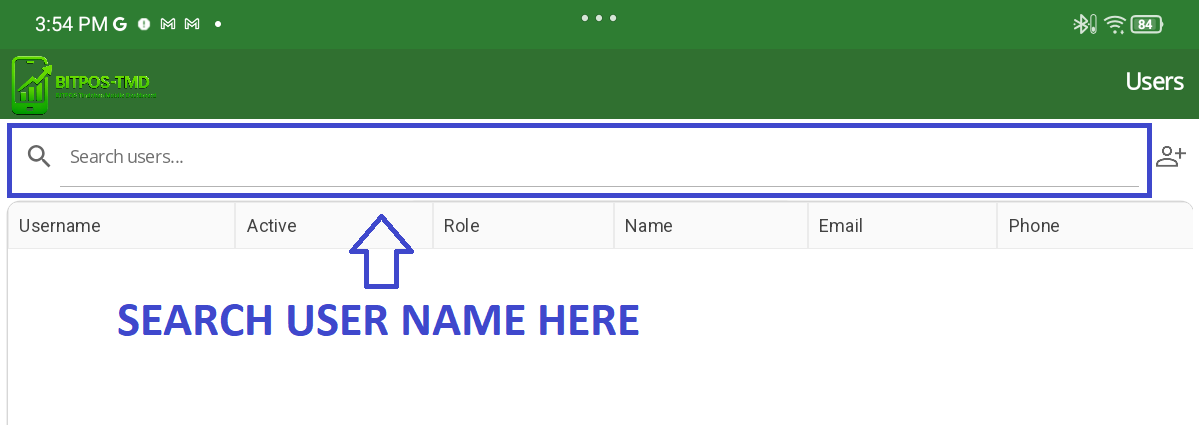
- STEP 4: Input User Name in Search Bar
- Type the username in the search bar to locate the specific user.
 |
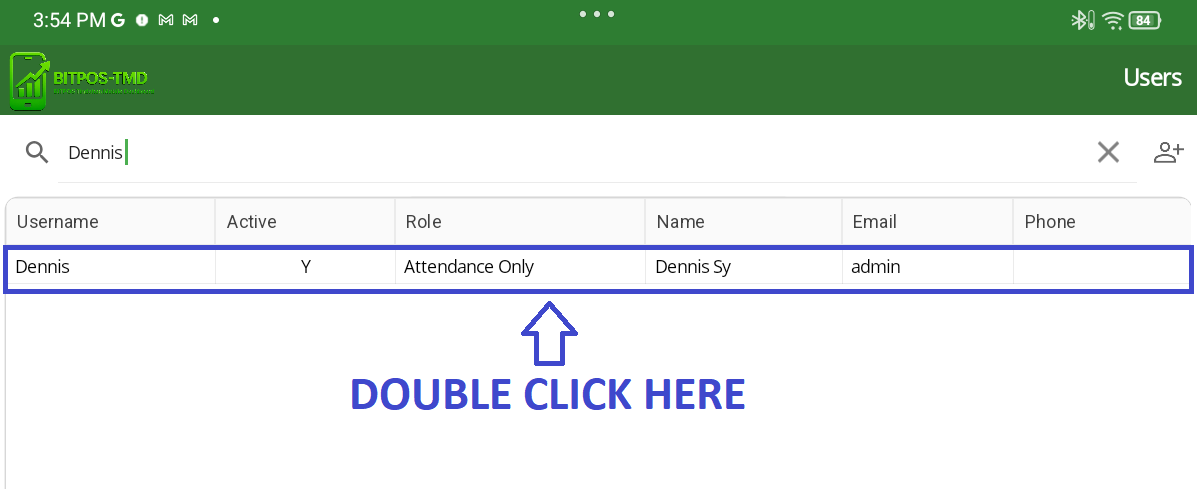
- STEP 5: Double Click User
- Double-click on the user’s name to open their profile.
 |
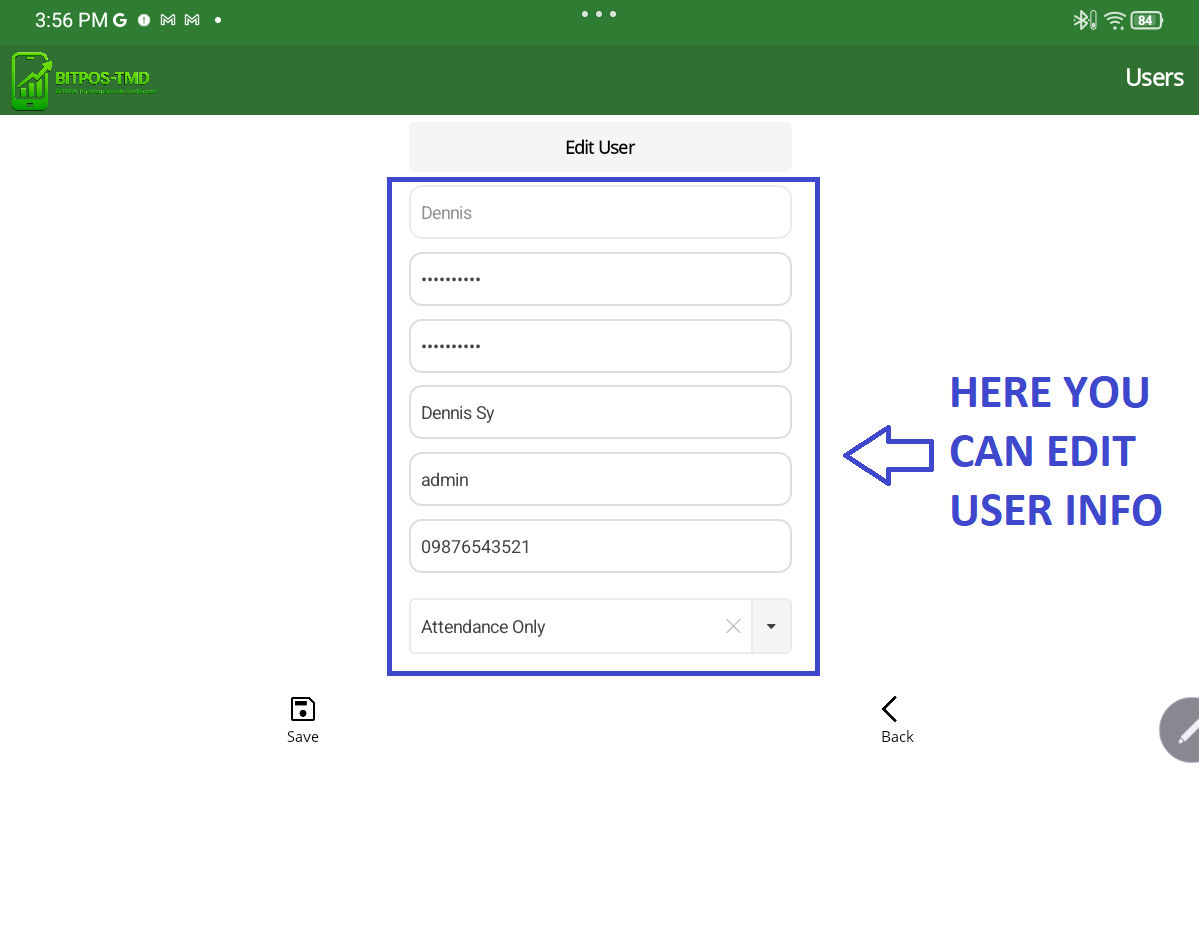
- STEP 6: Edit New Password and Phone Number
- Enter the new password and update the phone number in their respective fields.
 |
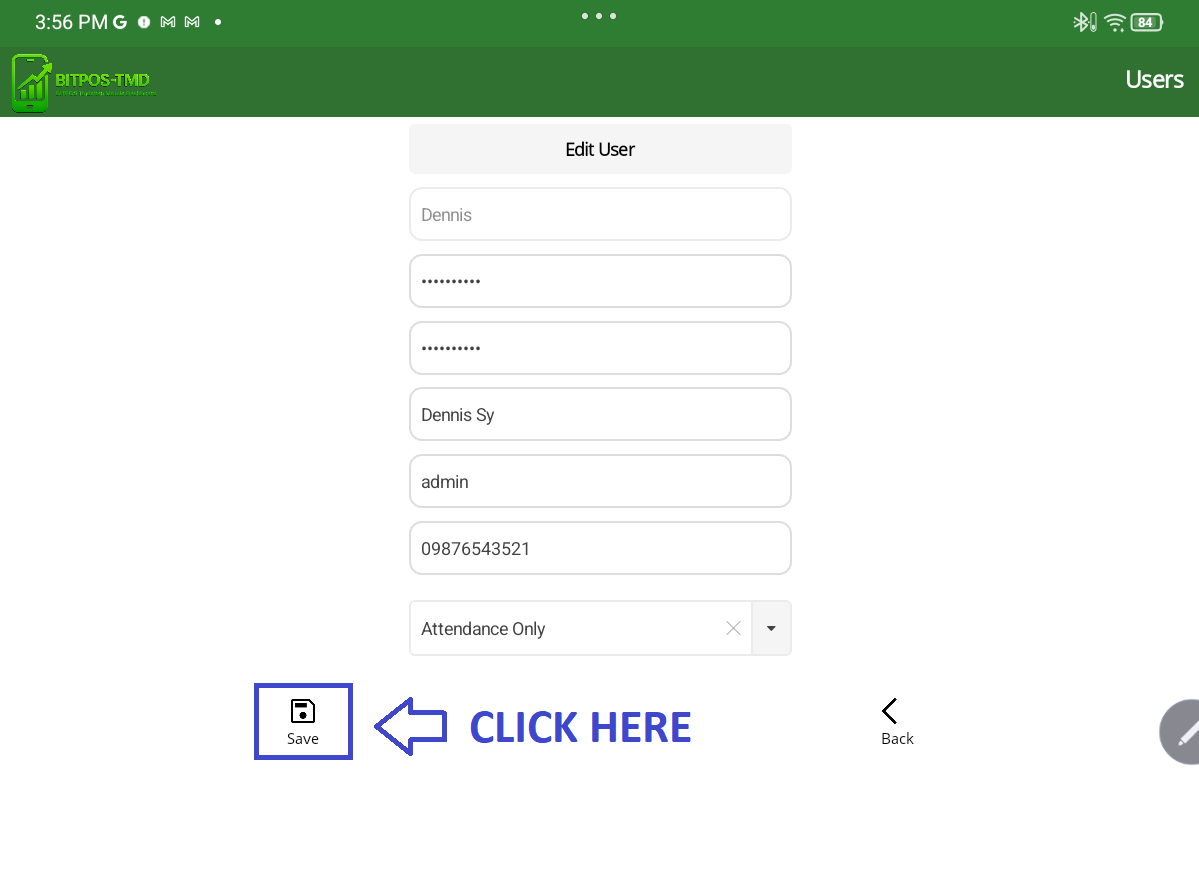
- STEP 7: Click Save Icon
- Click the Save icon to apply and save the changes.
 |