
Main /
BitPOS TMD Inventory Chat
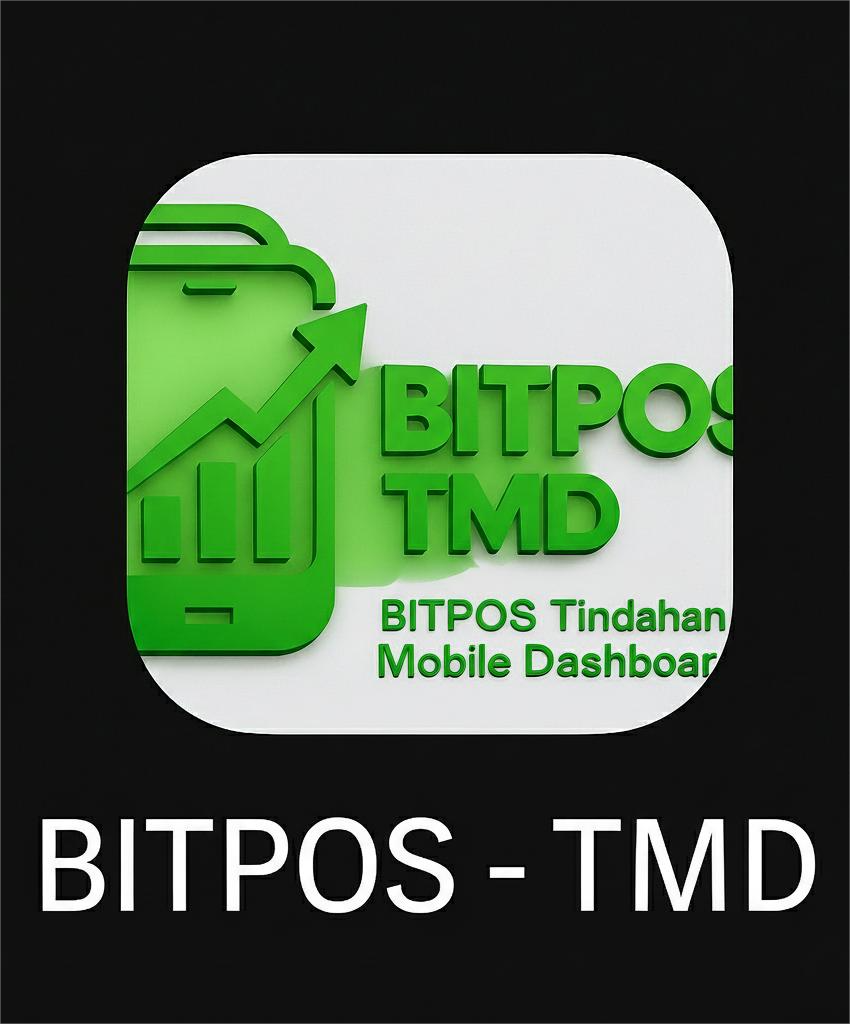
- STEP 1: Click TMD App
- Open the TMD Application on your device to access the TMD Chat feature.
 |
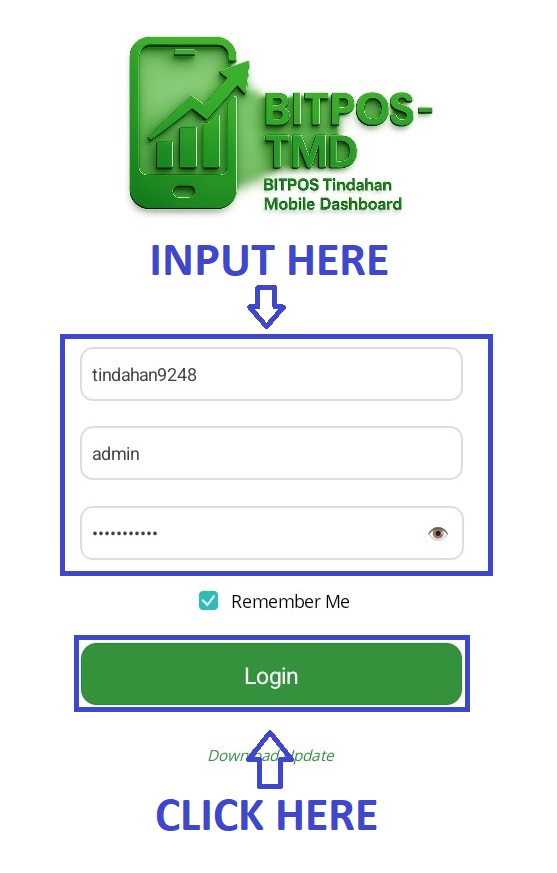
- STEP 2: Log In
- Enter your admin credentials to securely log in to the system.
 |
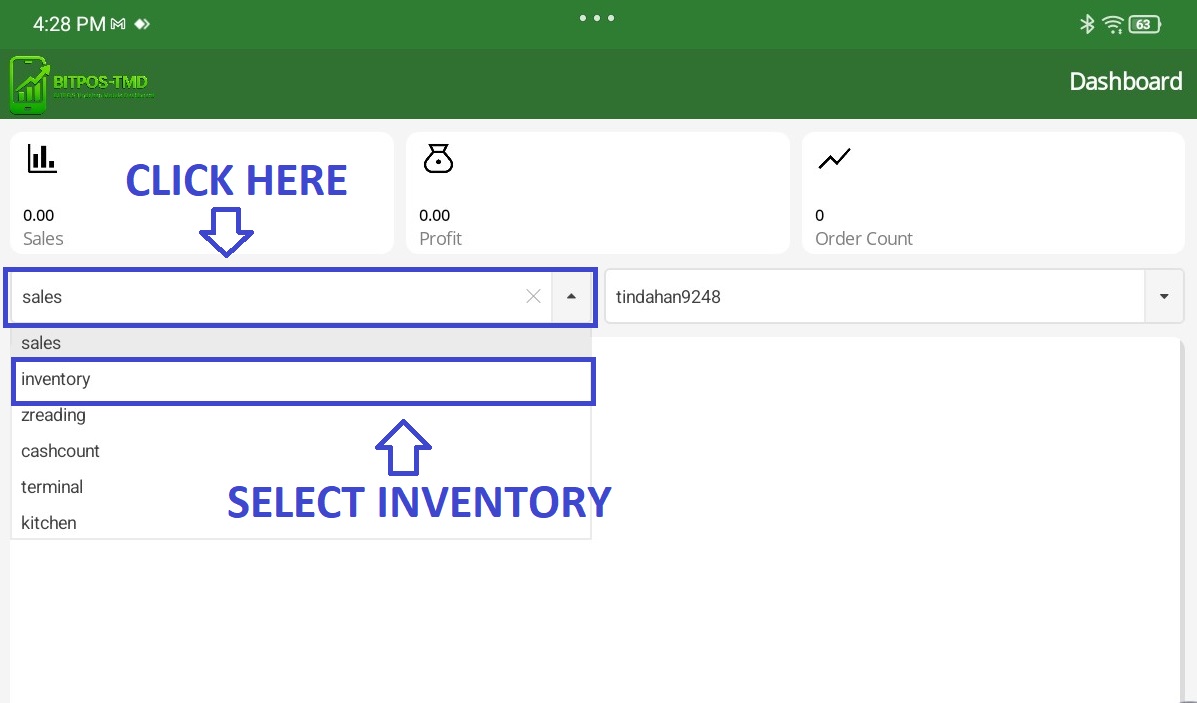
- STEP 3: Click Dropdown
- From the dropdown menu, select Inventory to open the Inventory AI Chat feature.
 |
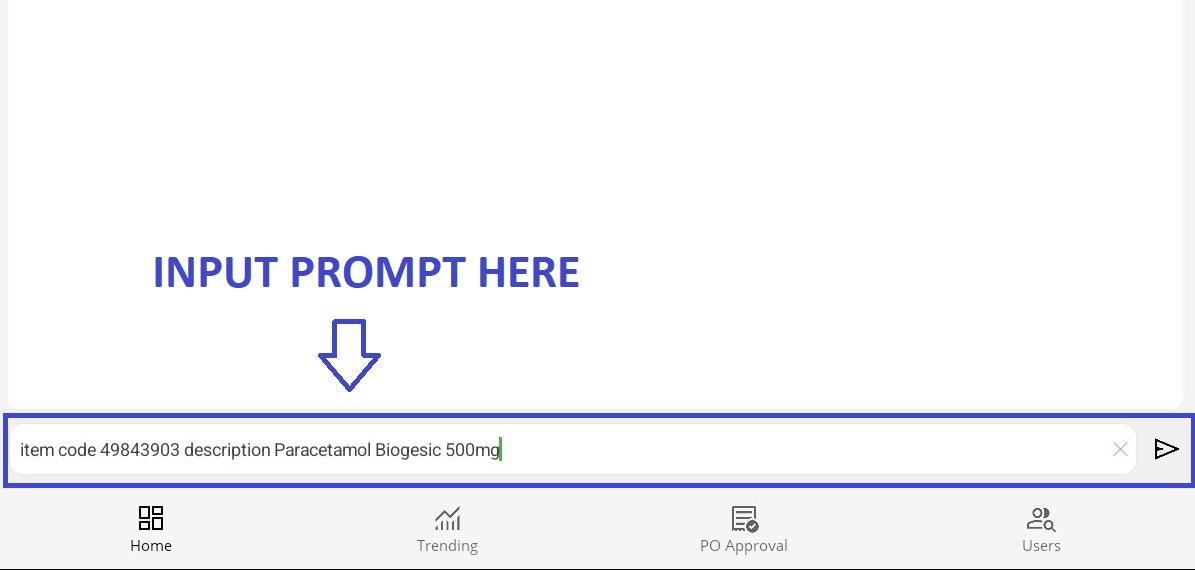
- STEP 4: Type Prompt
- In the chat box, type your desired prompt to retrieve inventory details.
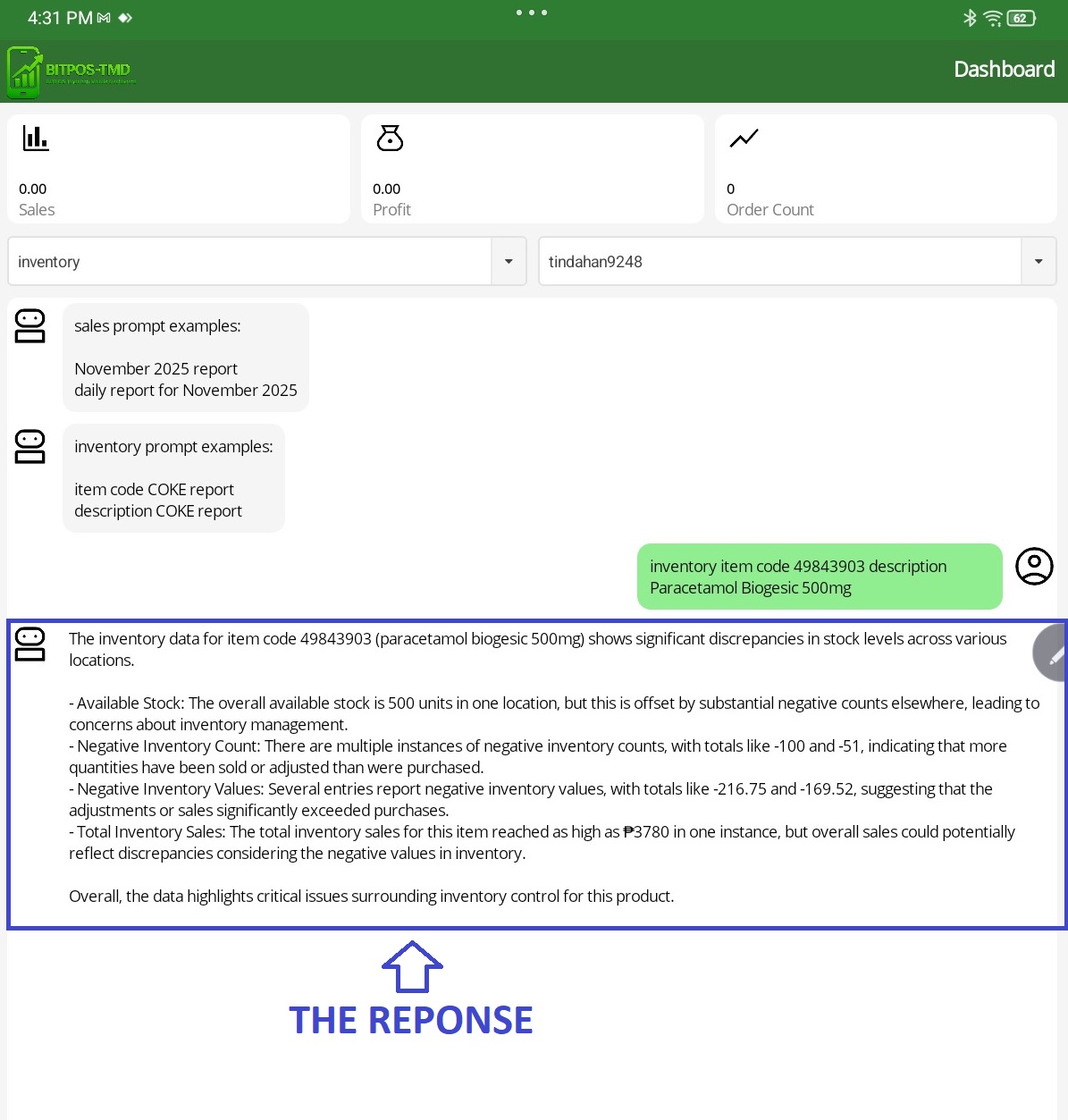
- Example Prompt: Inventory Item Code 49843903 Description: Paracetamol Biogesic 500mg
 |
- STEP 5: View Response
- The system will display the item details, including description, stock count, and other related information.
 |