
Main /
Categories Sold
- STEP 1: Open the TMD App
- Launch the TMD Application on your device to access the sales dashboard.
 |
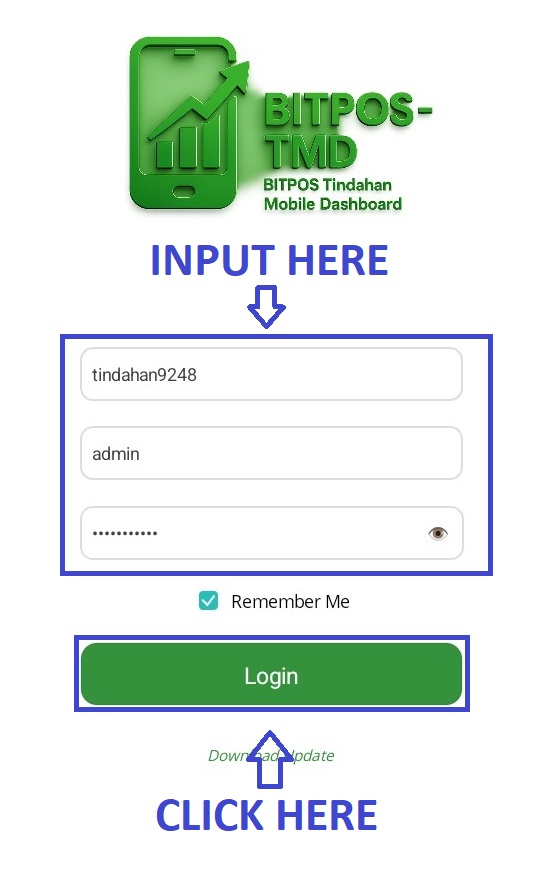
- STEP 2: Log In
- Enter your admin credentials to securely log in to the system.
 |
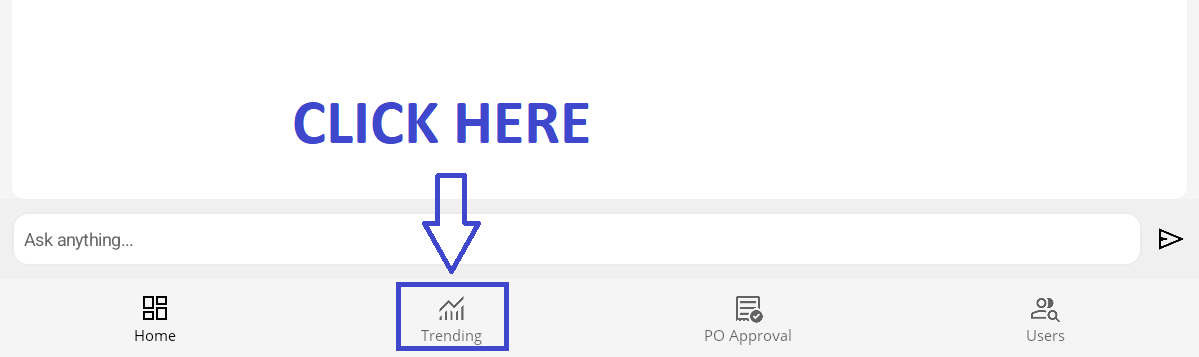
- STEP 3: Click Trending
- Tap the Trending tab located at the bottom of the dashboard to view sales analytics.
 |
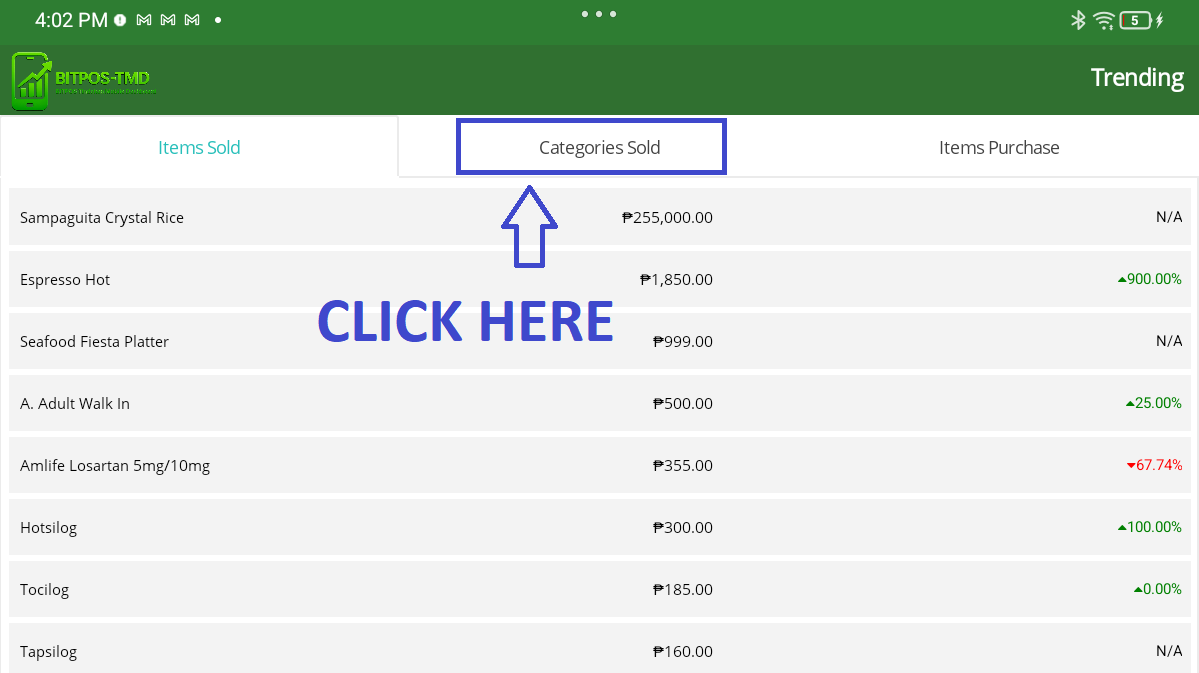
- STEP 4: Click Categories Sold
- Select Categories Sold to display the list of sold product categories.
 |
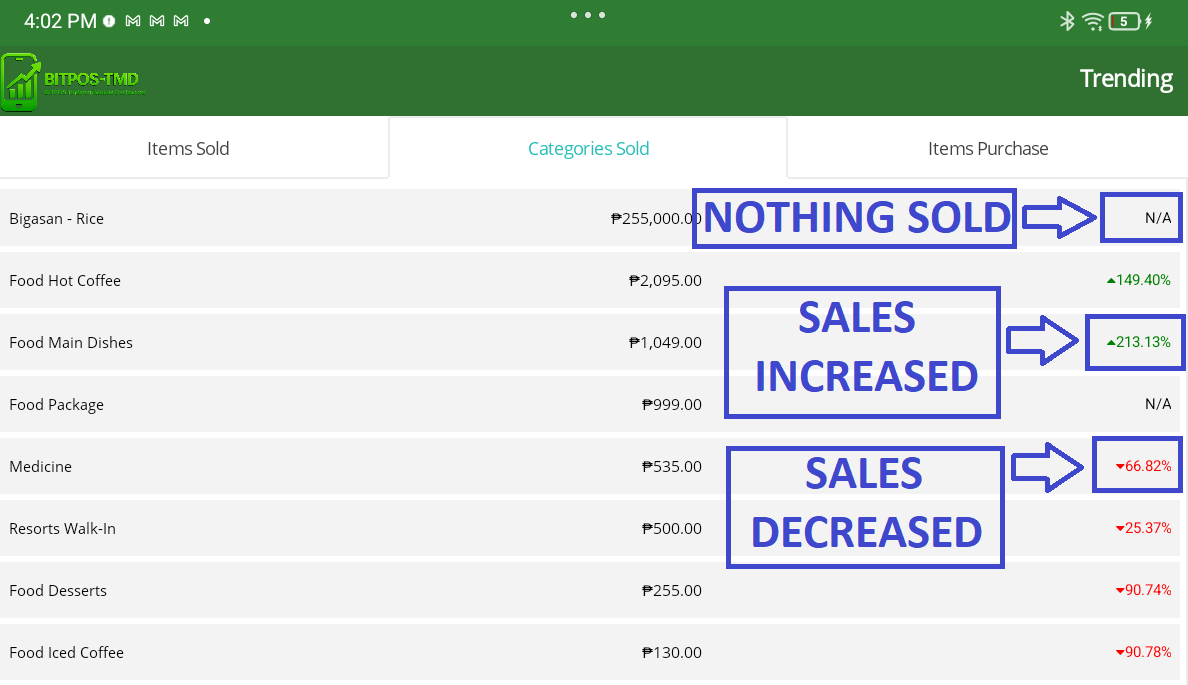
- STEP 5: View Categories Sold List
- Under Categories Sold, you can view the list of categories and their sales trends.
- On the right side, the indicators represent performance:
- N/A – Nothing is sold
- Green with an Up Arrow (↑) – Sales increased
- Red with a Down Arrow (↓) – Sales decreased
 |