
Main /
PIKOLBOL MANUAL BOOKING
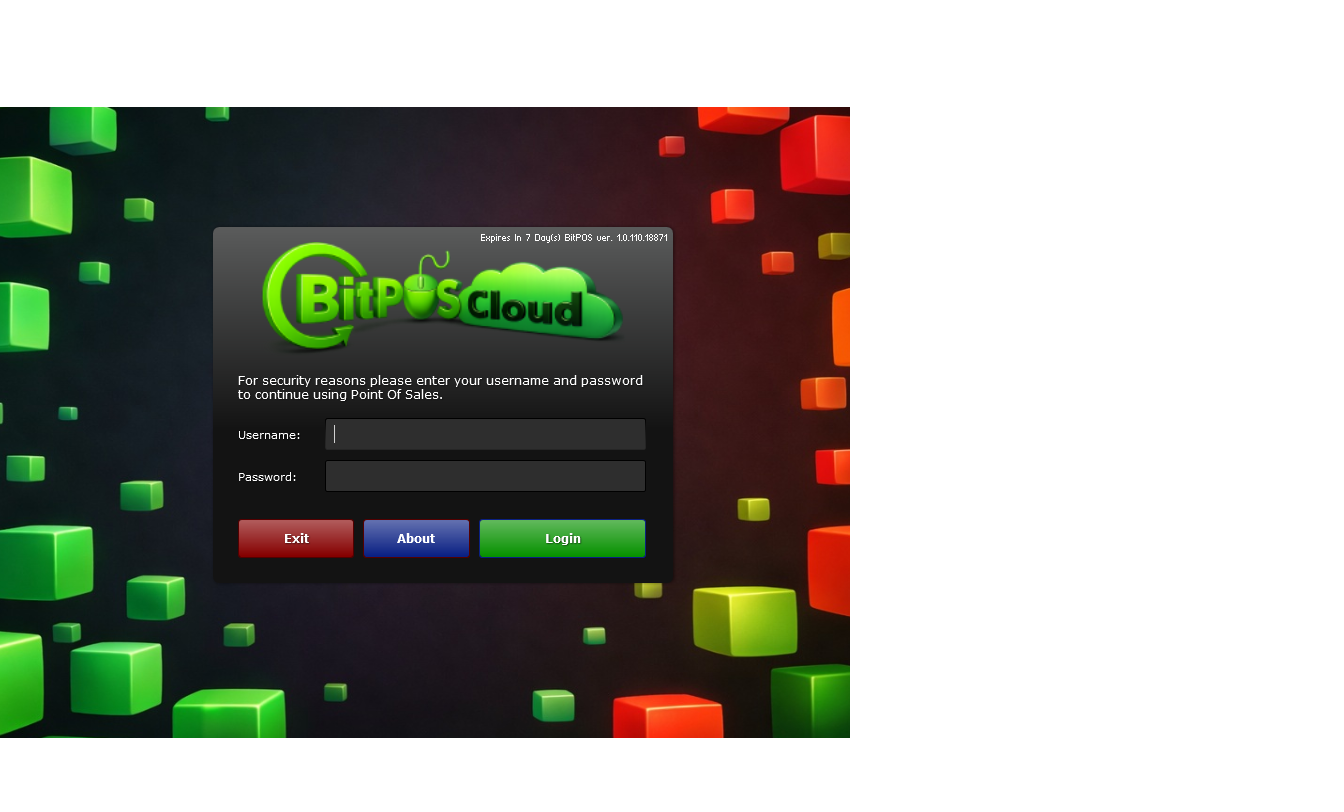
STEP 1: Type your Username and Password
 |
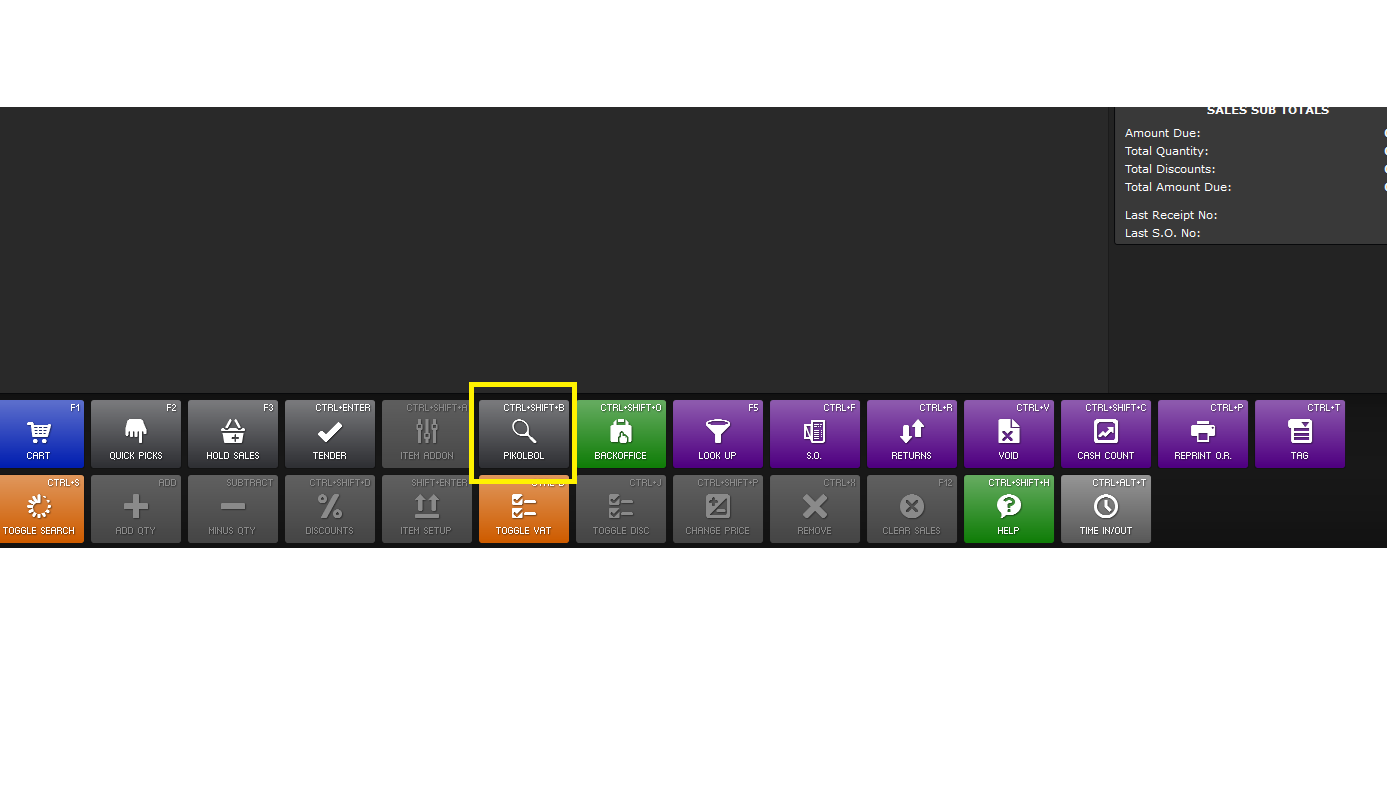
STEP 2: Click the PIKOLBOL (CTRL+SHIFT+B)
 |
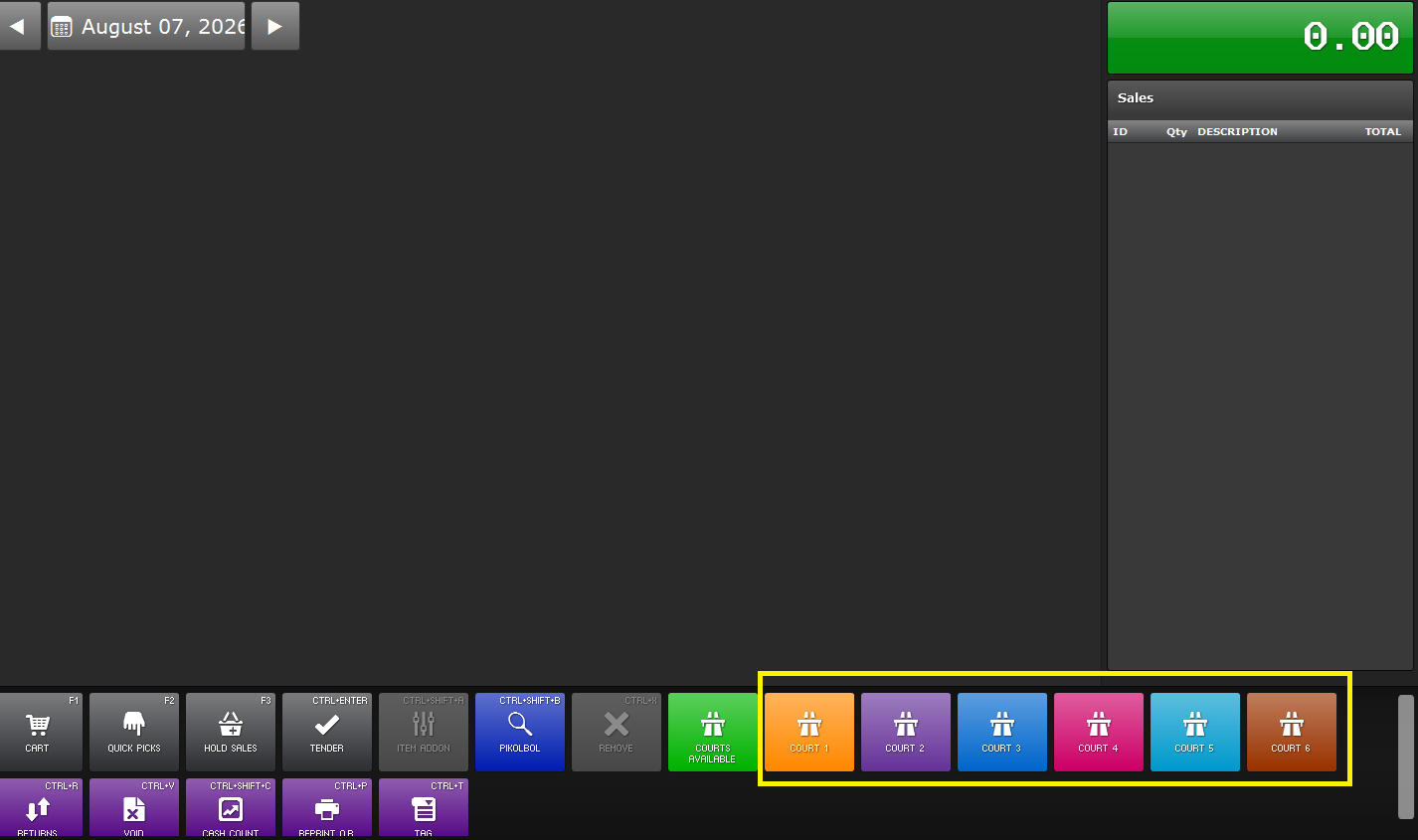
STEP 3: Select a court for the costumer
 |
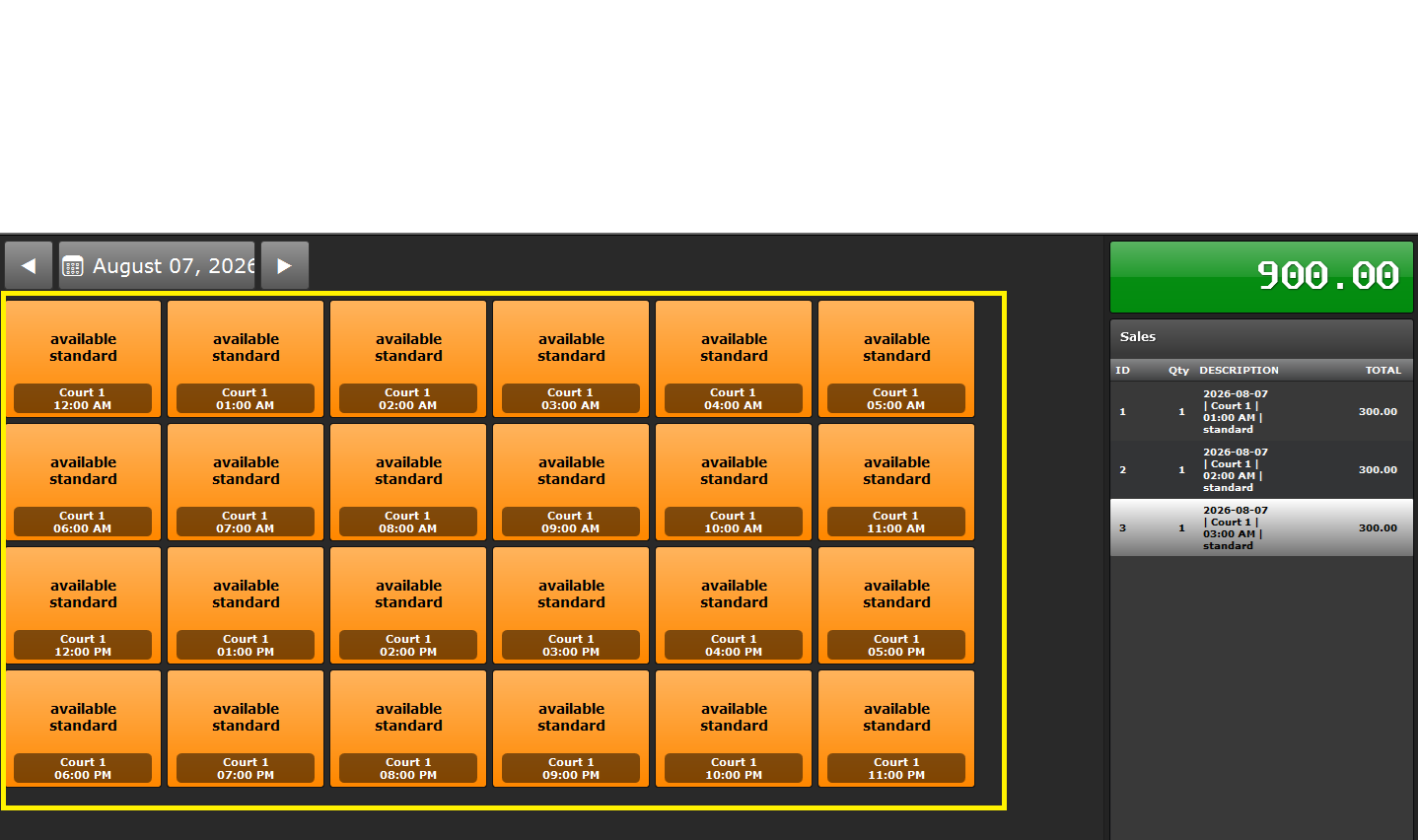
STEP 4: Select the date and time for the customer's booking
 |
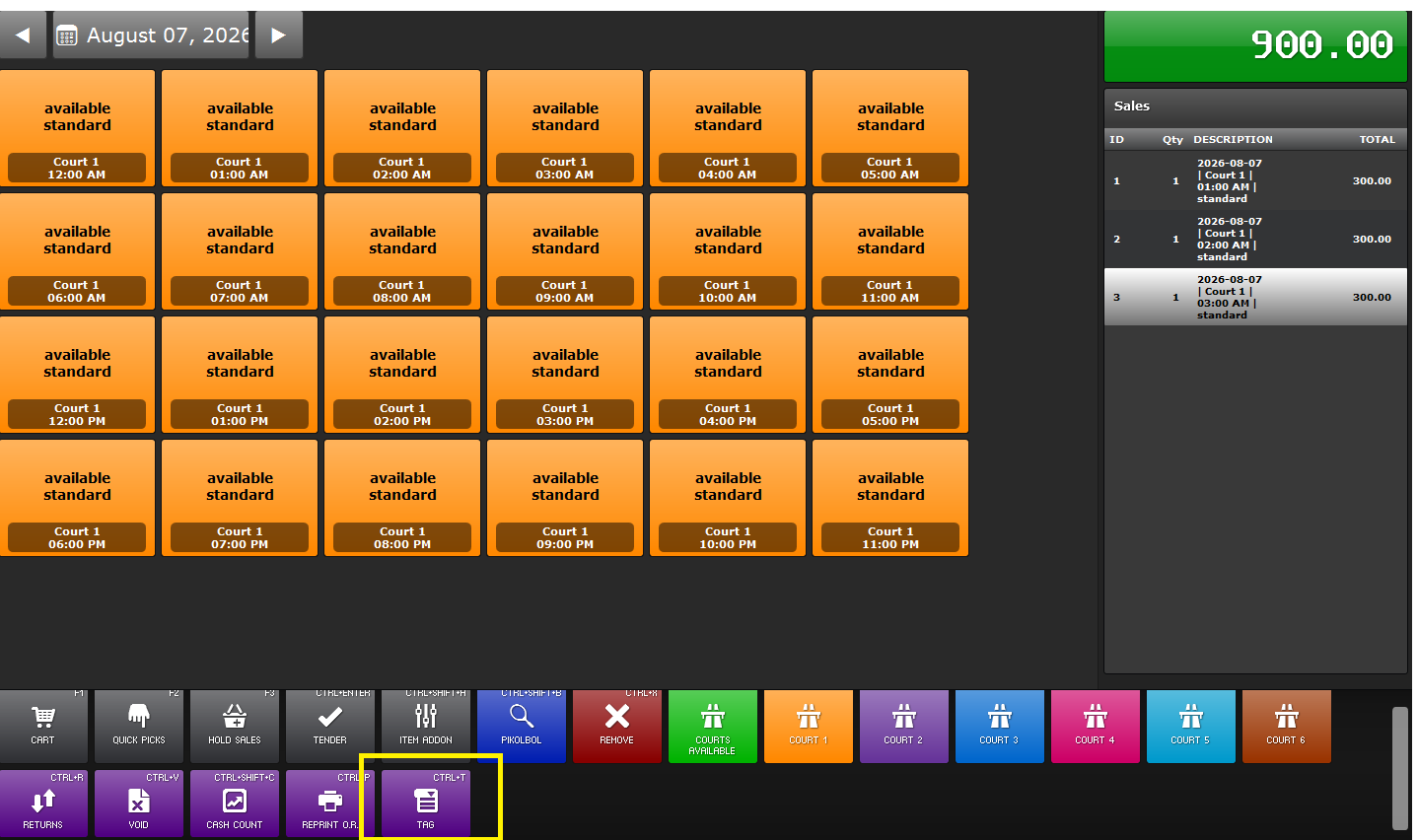
STEP 5: Click the "TAG" (CTRL+T)
 |
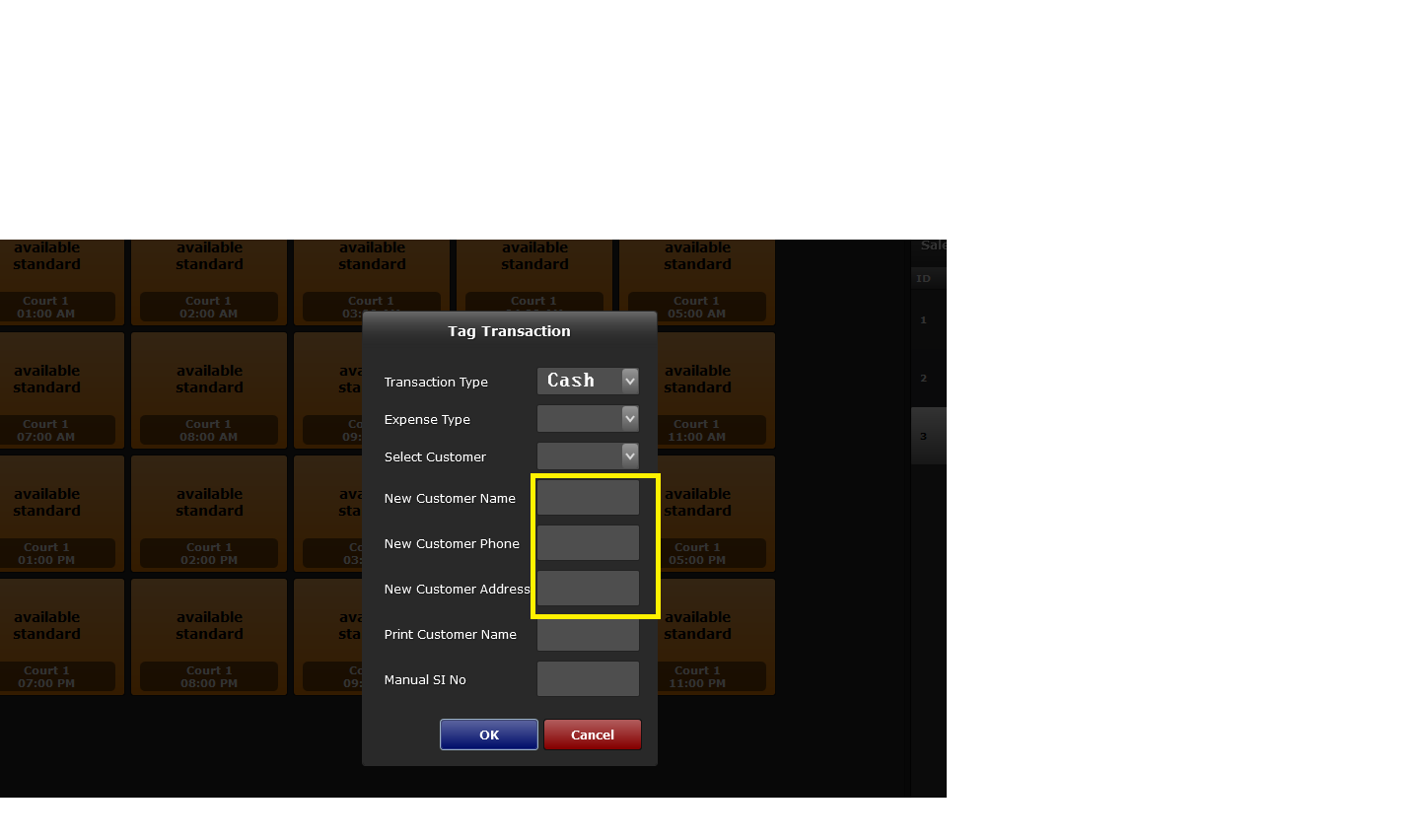
STEP 6: Put the customer's info here
 |
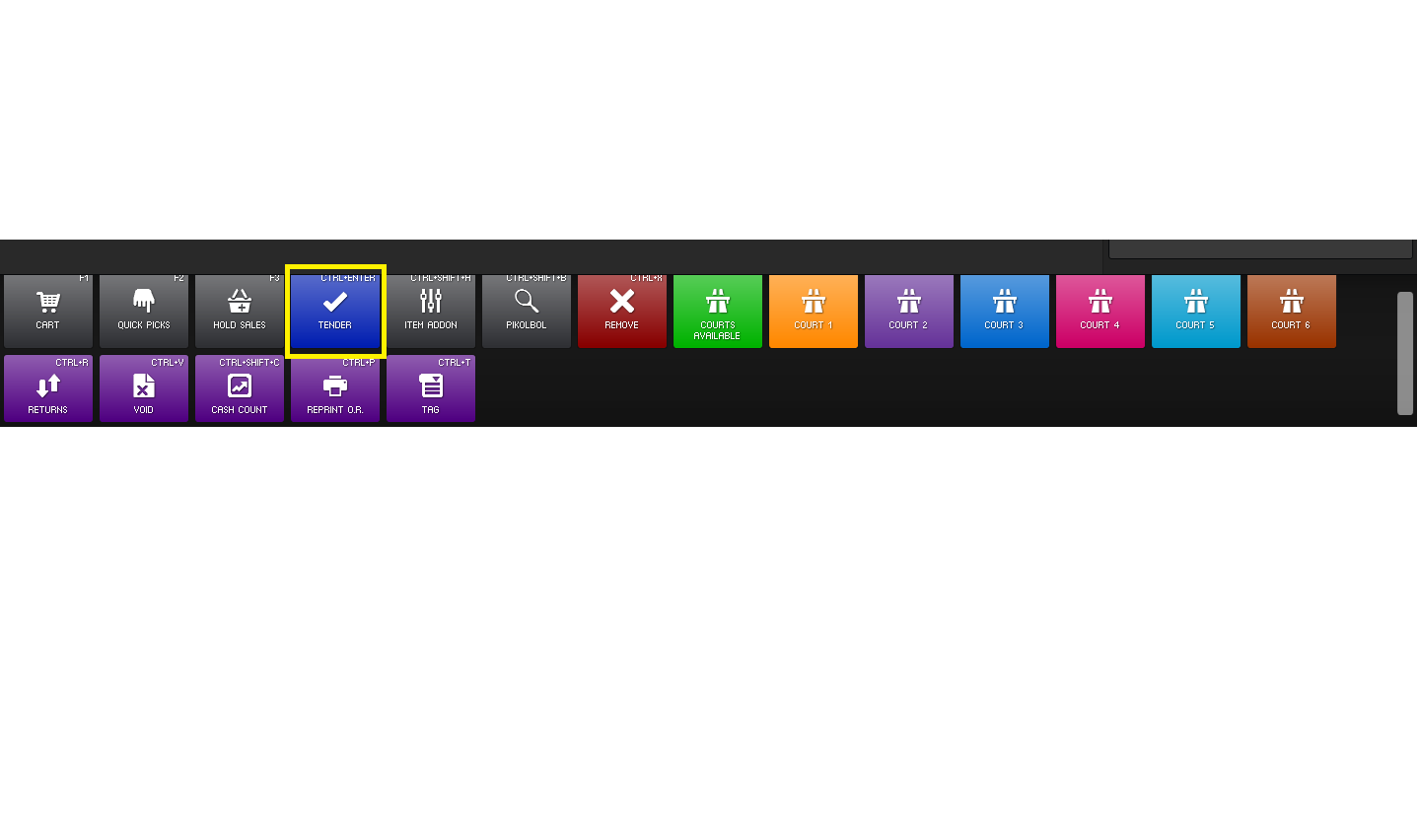
STEP 7: Click "TENDER" (CTRL+ENTER)
 |
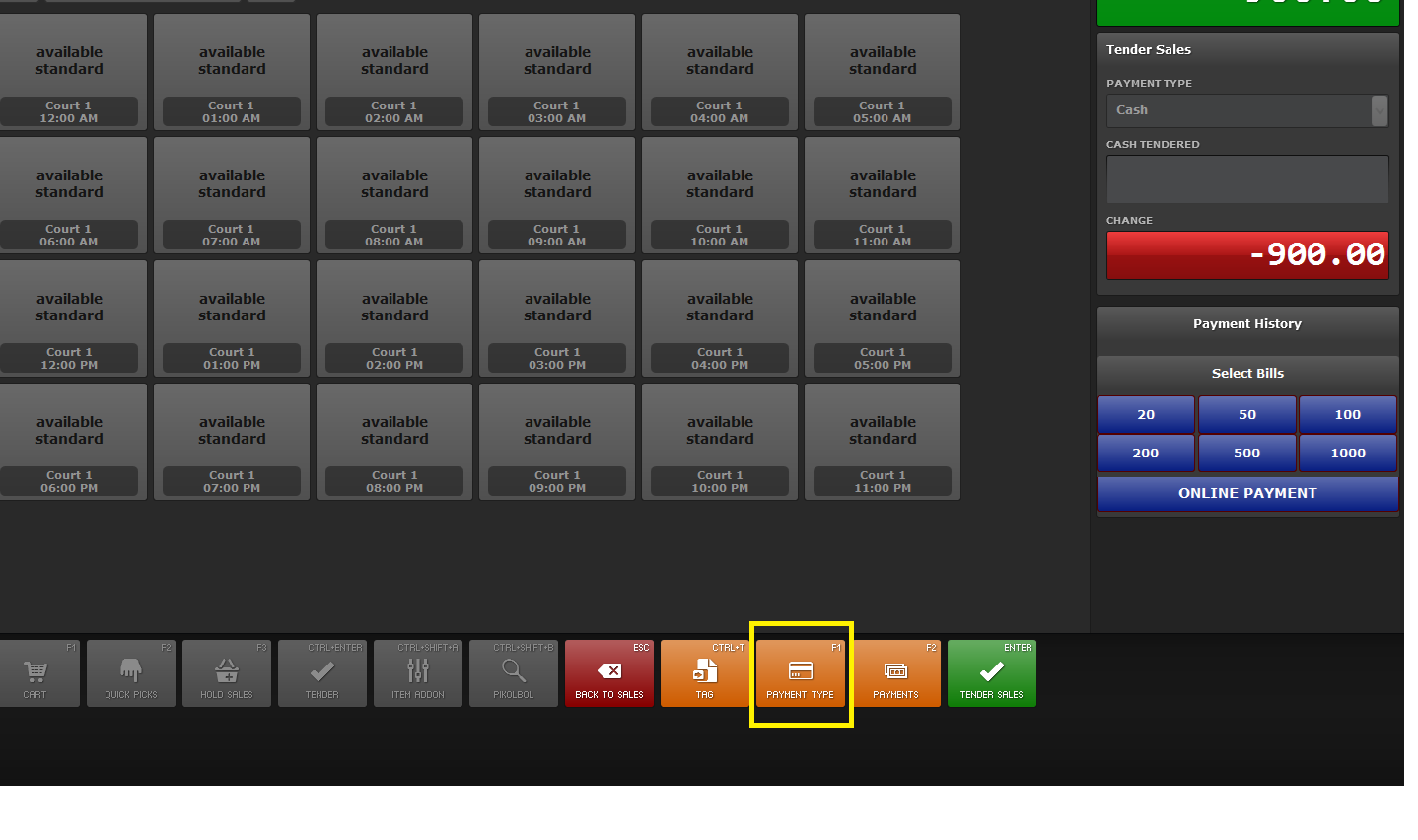
STEP 8: Click "PAYMENT TYPE" (F1)
 |
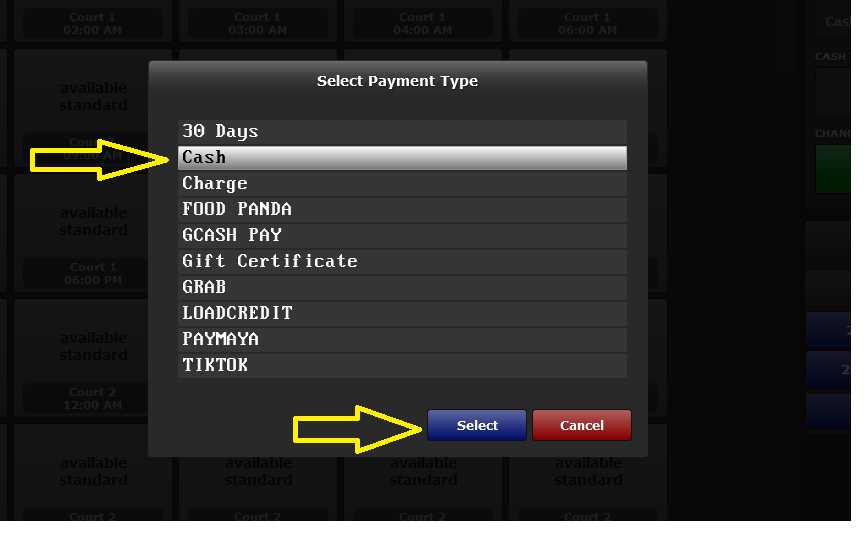
STEP 9: Choose "CASH" and click "SELECT"
 |
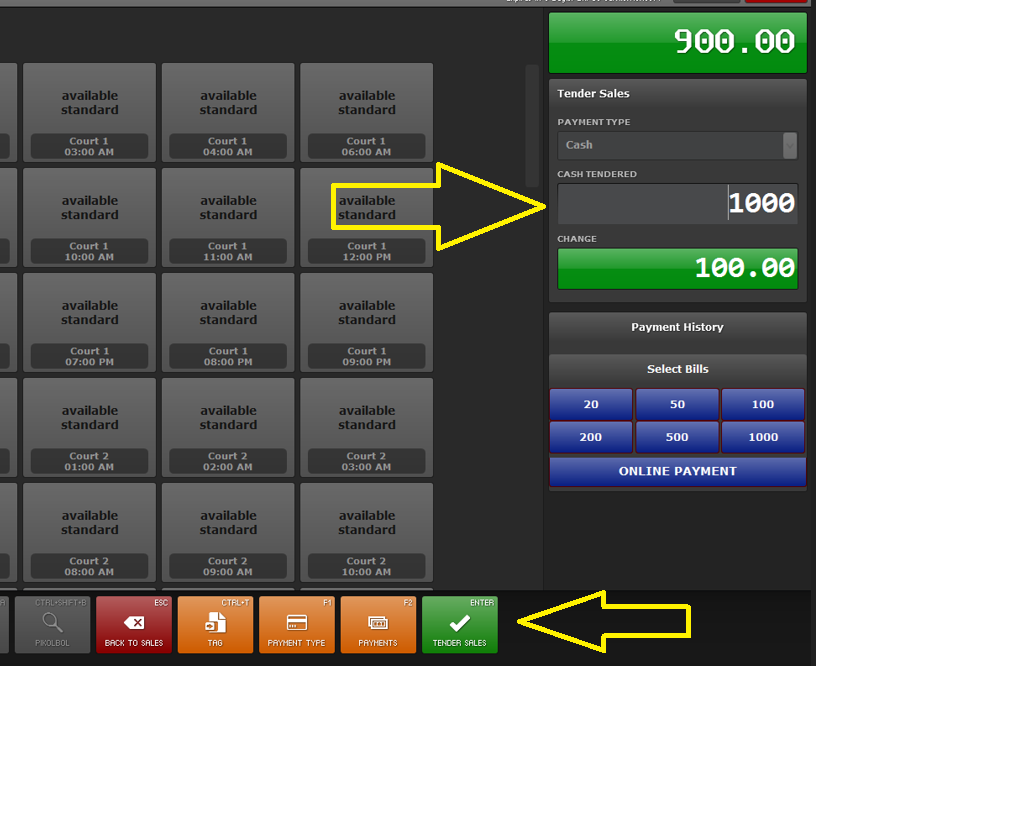
STEP 10: Type the customer's money here and click "TENDER SALES" (ENTER)
 |
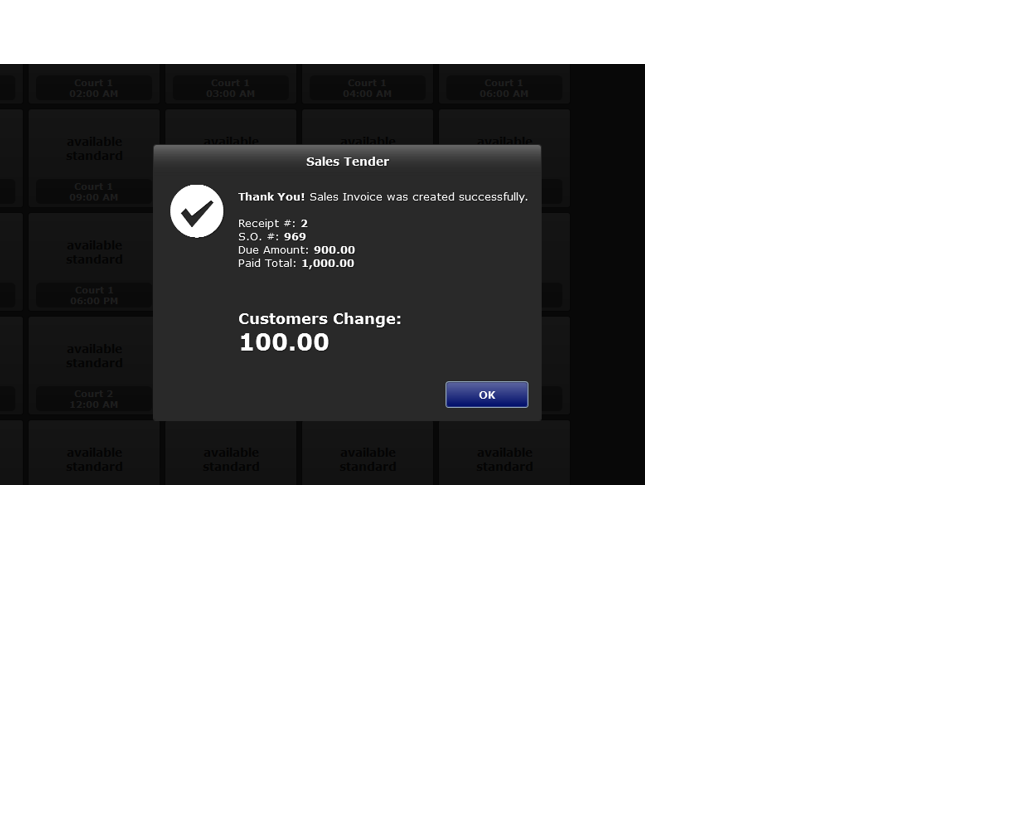
STEP 11: Check if the transaction is successful
 |