
Main /
Billiards Cashiering – Open Time Process
- STEP 1: Open MOT App
- Launch the MOT application on your device.
 |
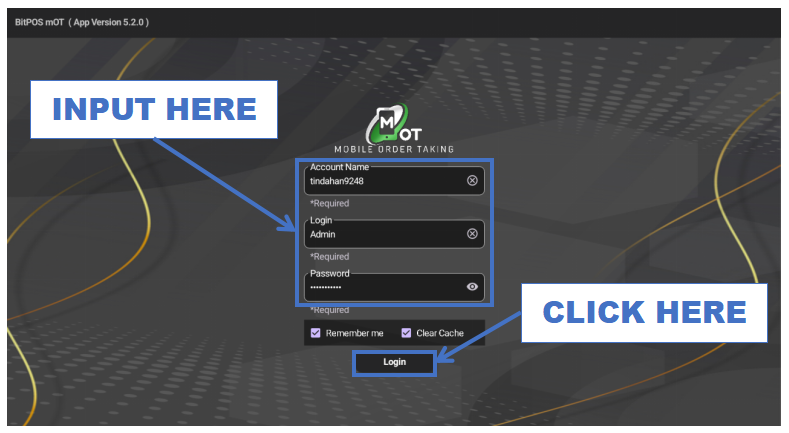
- STEP 2: Log In
- Enter your admin credentials to access the system.
 |
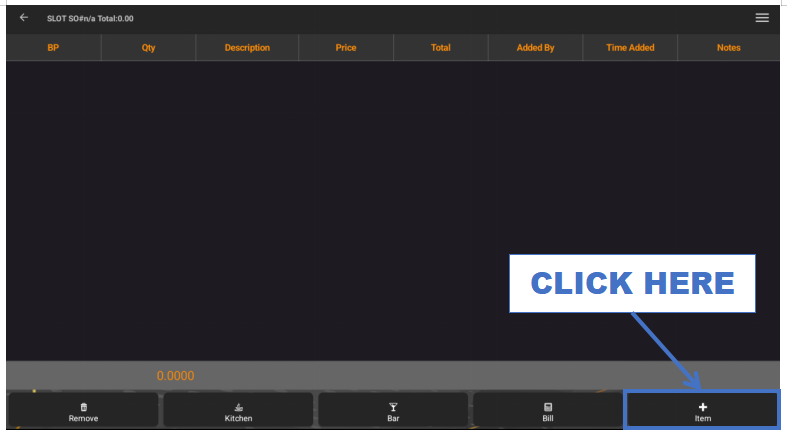
- STEP 3: Click + Item
- Tap the + Item button to add an open-time billiards session.
 |
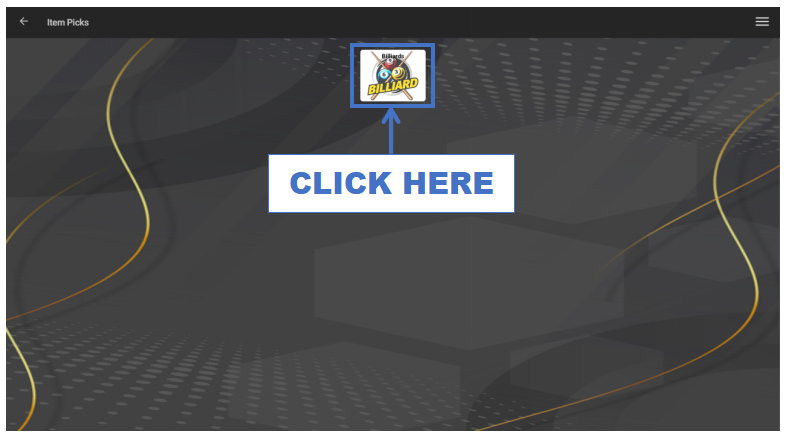
- STEP 4: Click Category
- Select the appropriate category for billiards.
 |
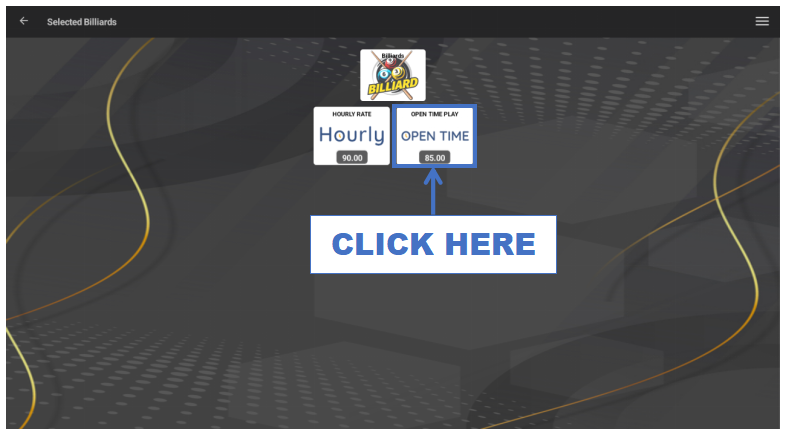
- STEP 5: Click Item (e.g., Billiards – Open Time)
- Choose the open-time billiards item such as Billiards (Open Time).
 |
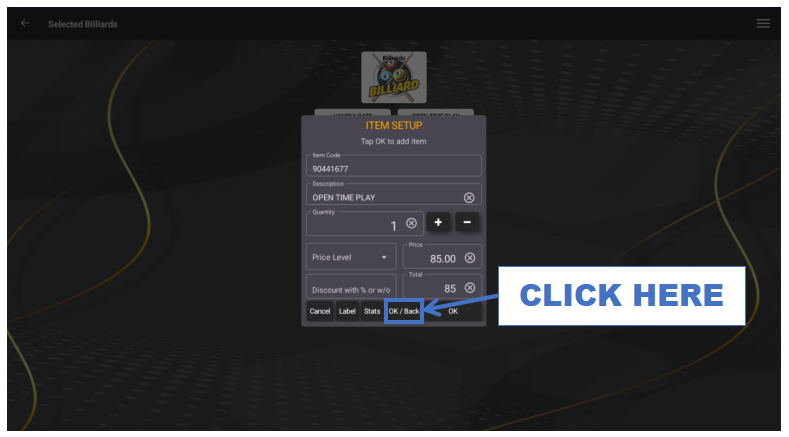
- STEP 6: Click OK/Back
- Save the selected item and return to the transaction screen.
 |
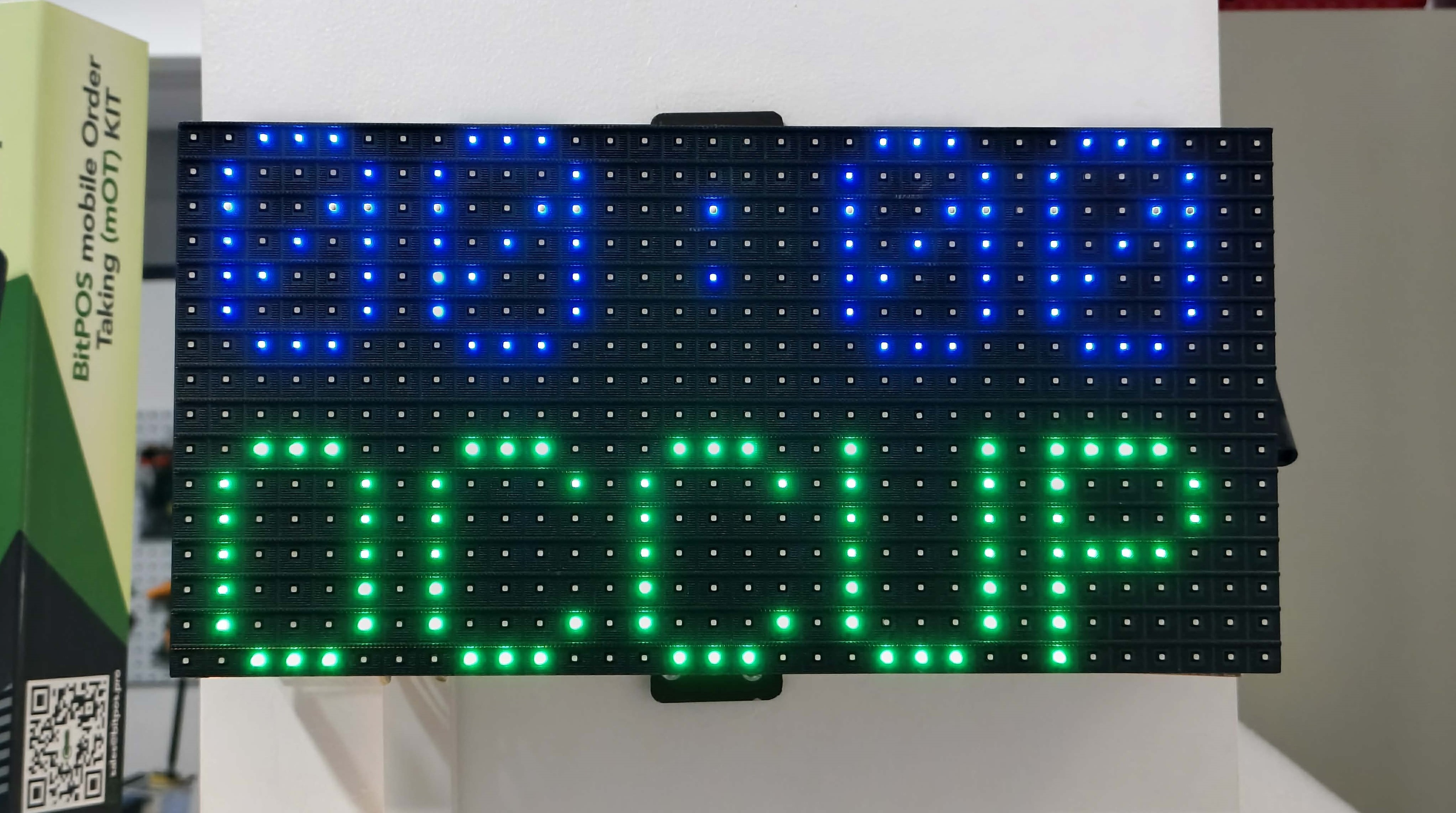
- STEP 7: Open Time Starts
- The billiards table session will begin immediately (no countdown).
 |
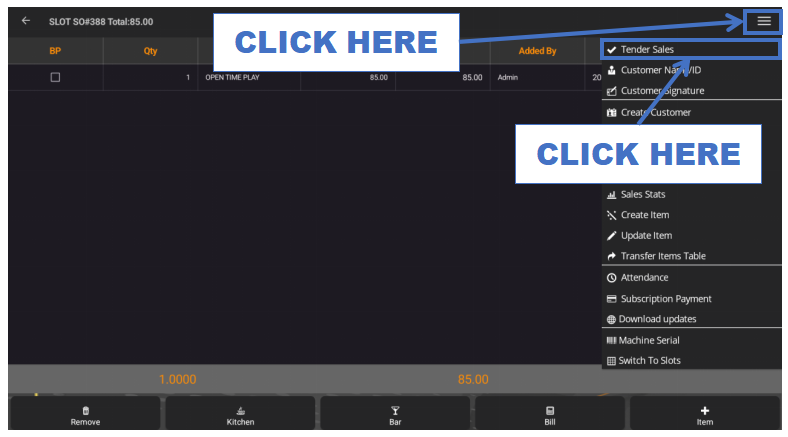
- STEP 8: Click Tender
- Proceed to the payment section when the customer is ready to end playtime.
 |
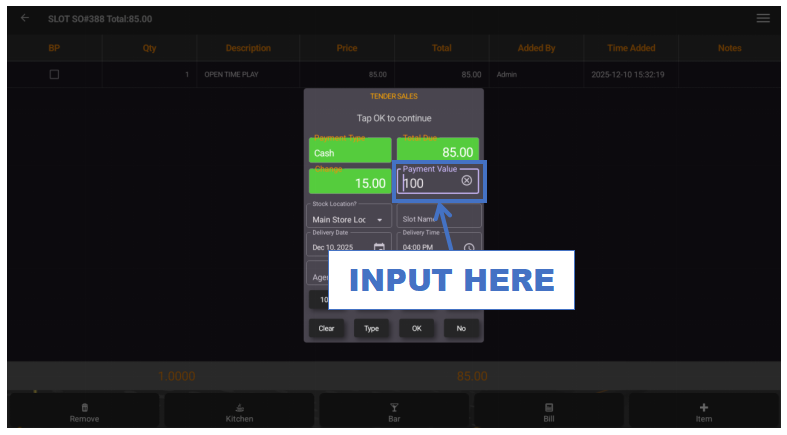
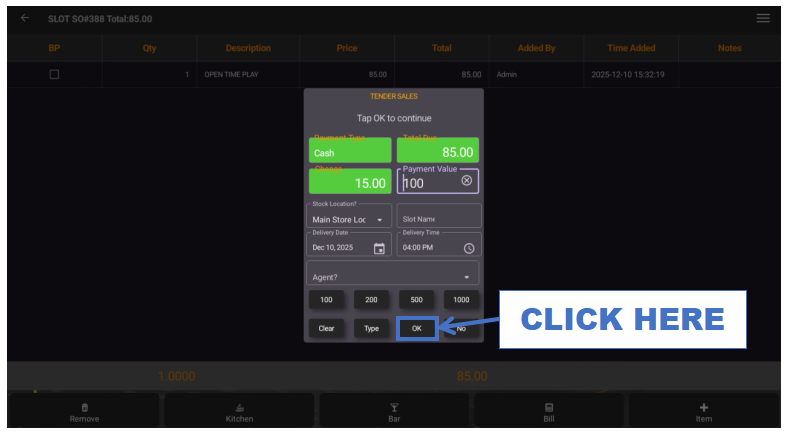
- STEP 9: Input Payment Value
- Enter the payment based on the total time consumed.
 |
- STEP 10: Click OK
- Finalize and confirm the payment.
 |
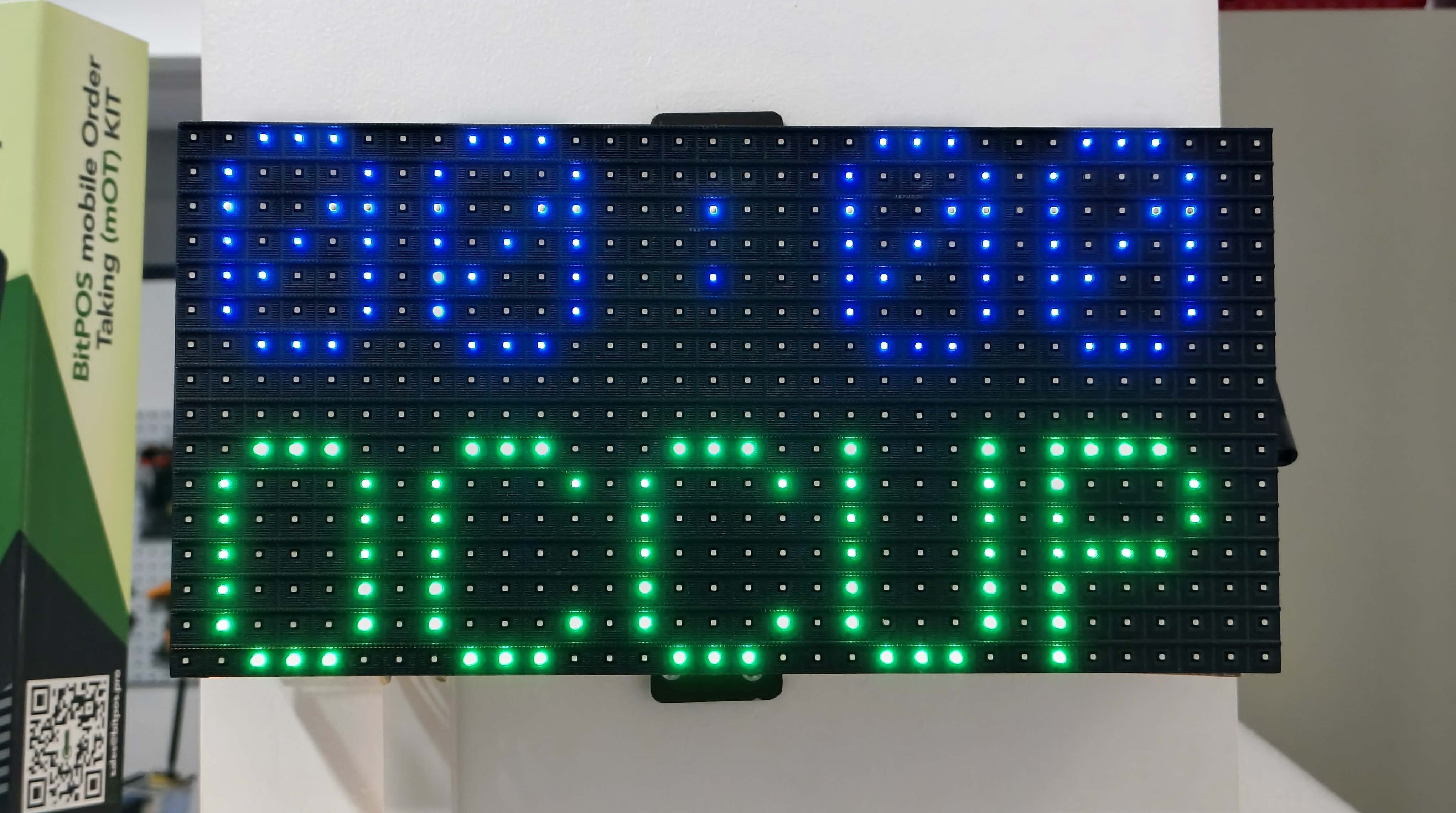
- STEP 11: End of Open Time
- Once tendered, all billiards table functions will automatically stop.
 |