
Main /
MCI Membership Check-in
| STEP 1: Open MCI App. Launch the MCI application on your device. |  |
| STEP 2: Log In. Enter your admin credentials to access the system. | 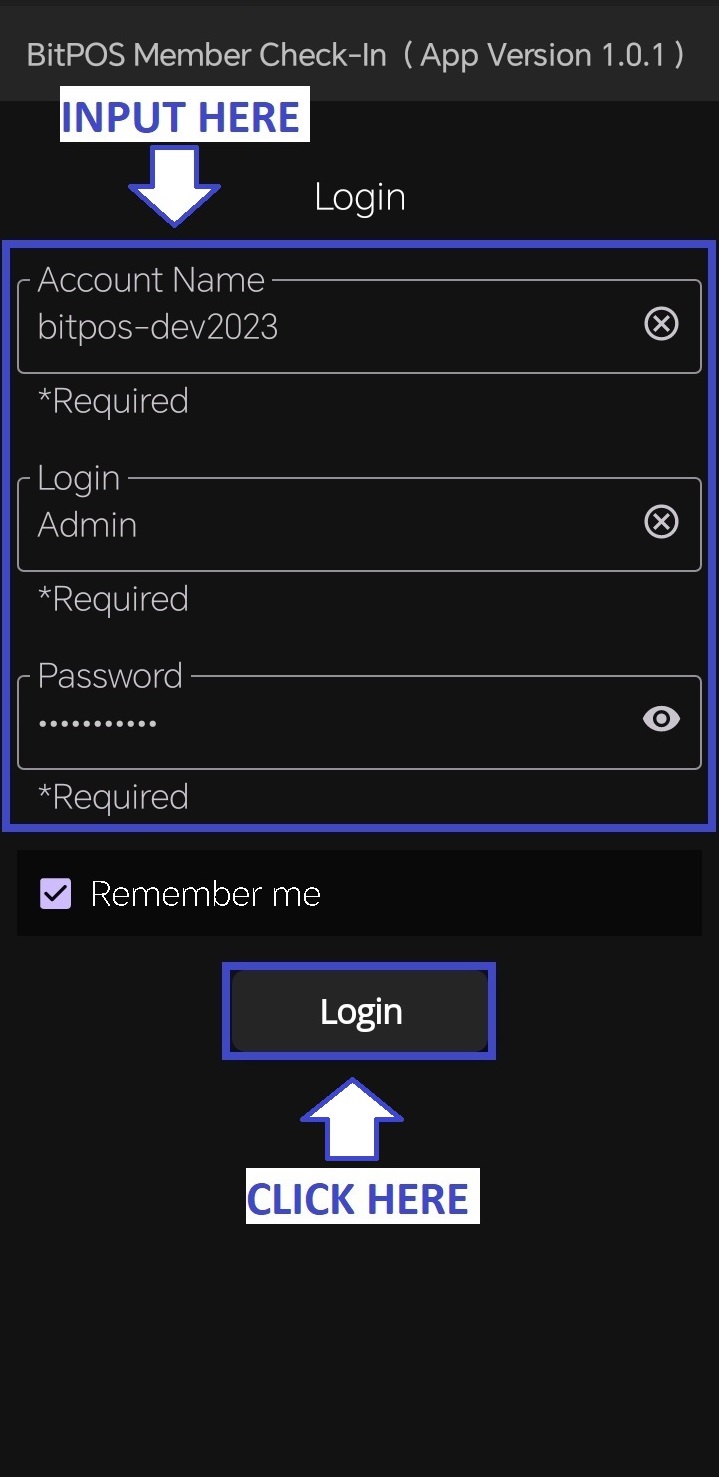 |
| STEP 3: Click Member Check-In. Select Member Check-In from the menu to start the process. | 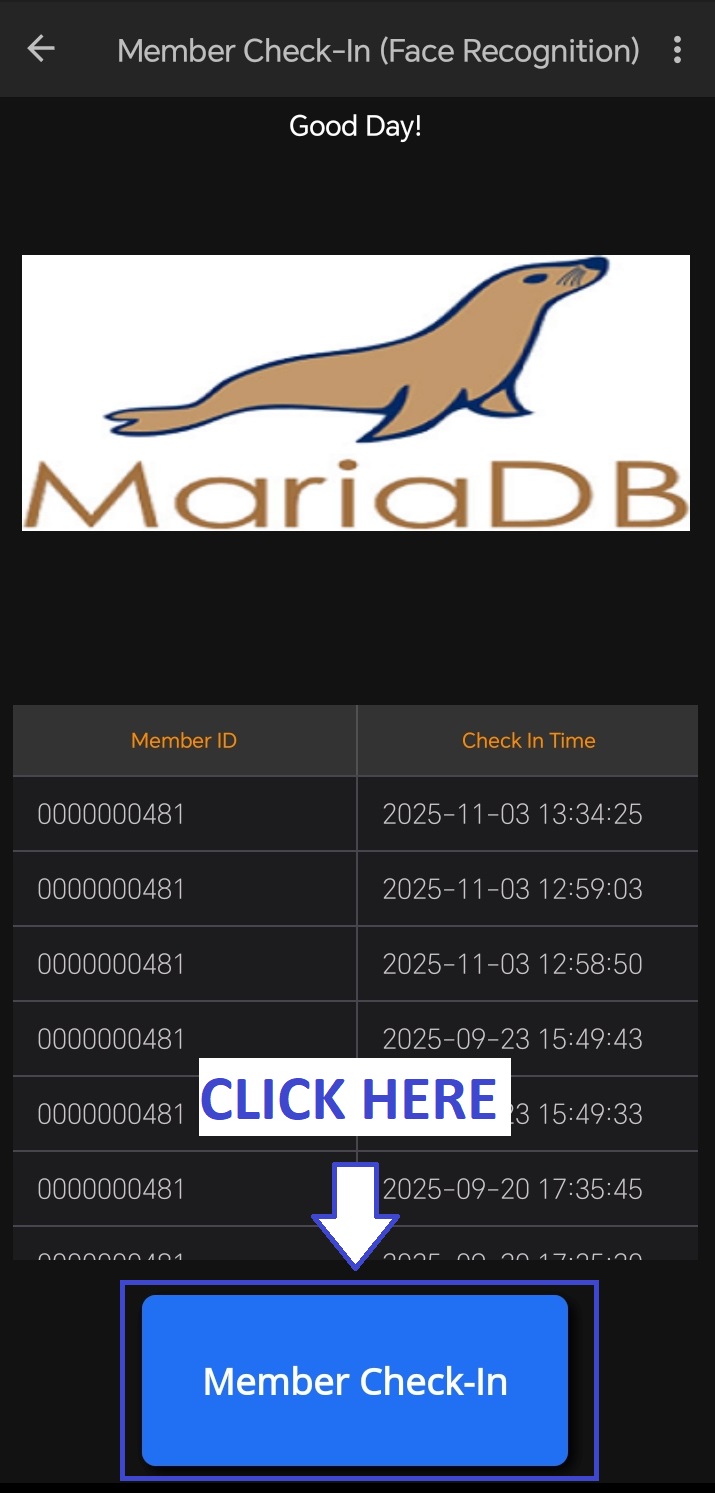 |
| STEP 4: Hold Still and Center Your Face to the Camera. Position your face properly in front of the camera until it is recognized. | 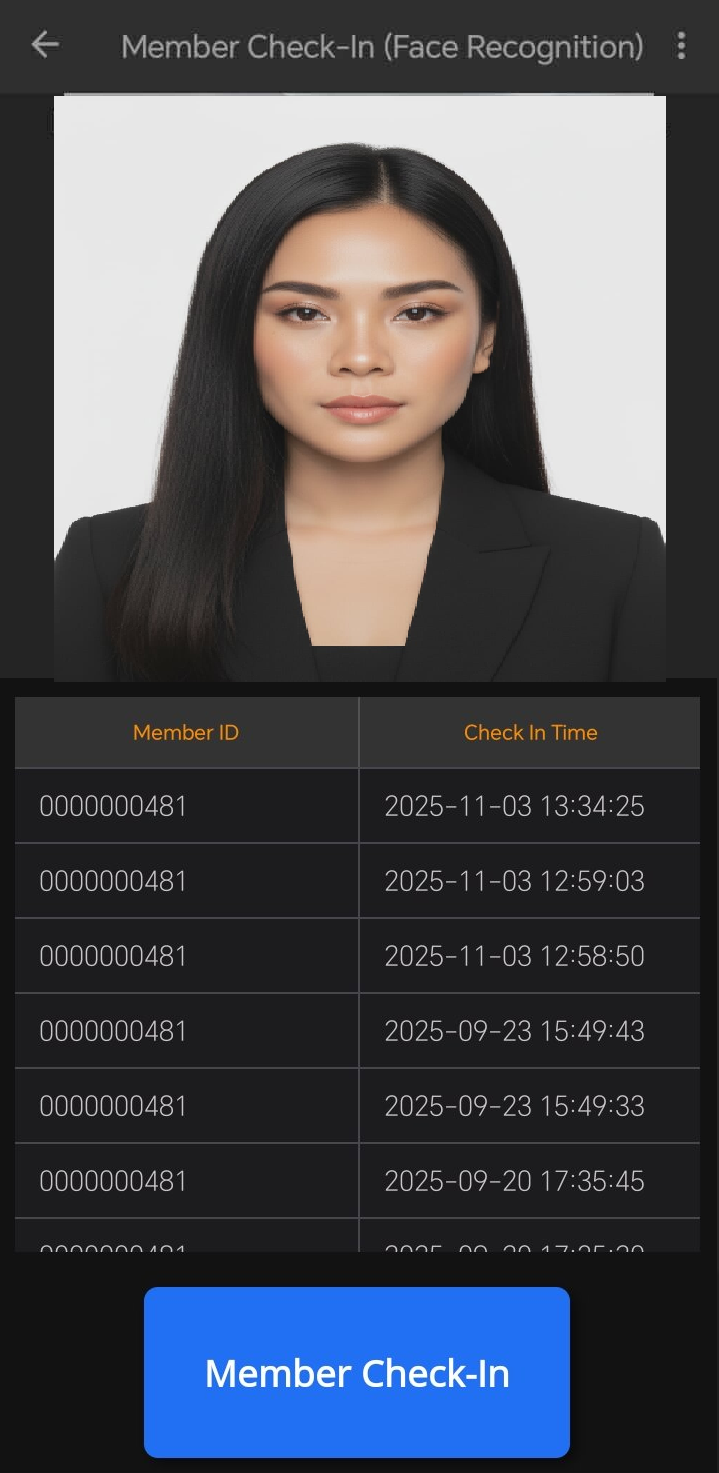 |
| STEP 5: Click Confirmed Check-In. Tap Confirmed Check-In to complete the check-in process. | 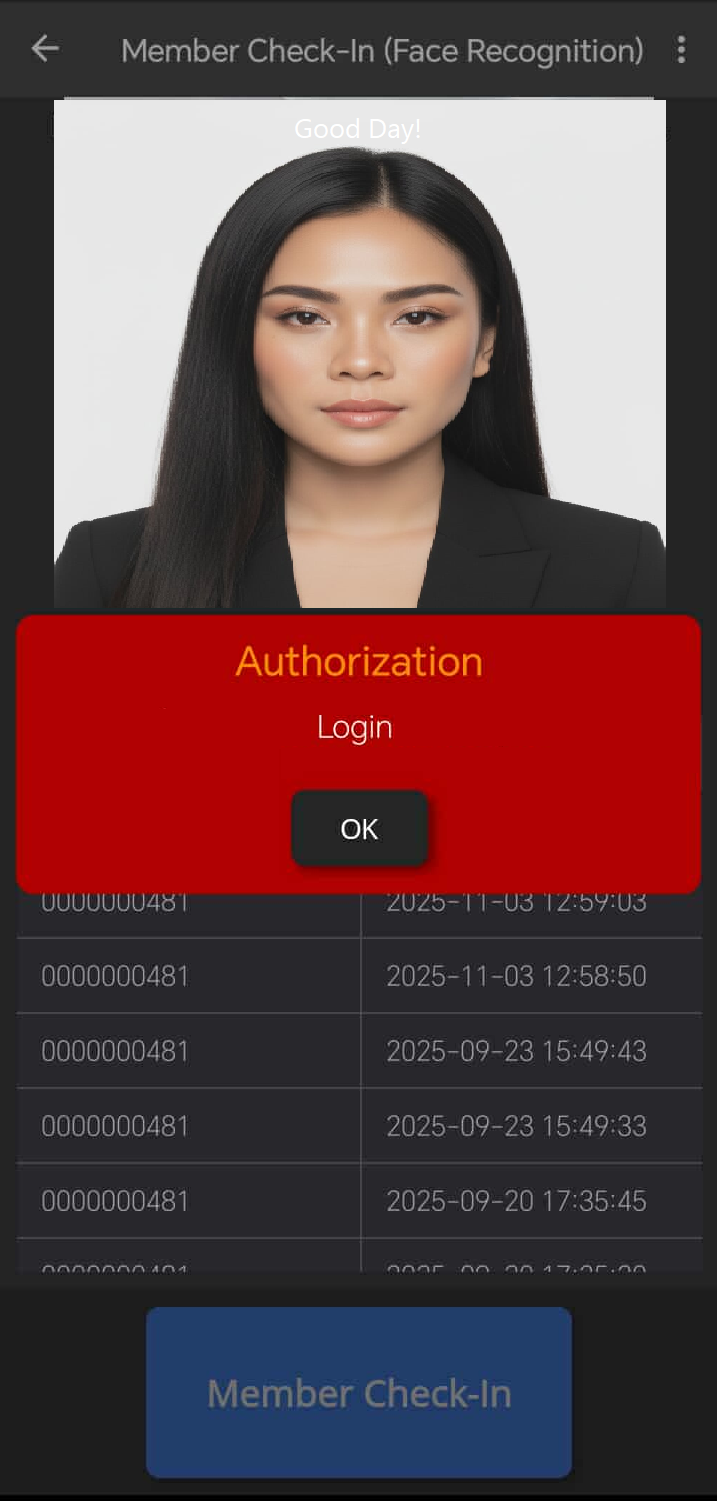 |