CONNECT LABEL PRINTER
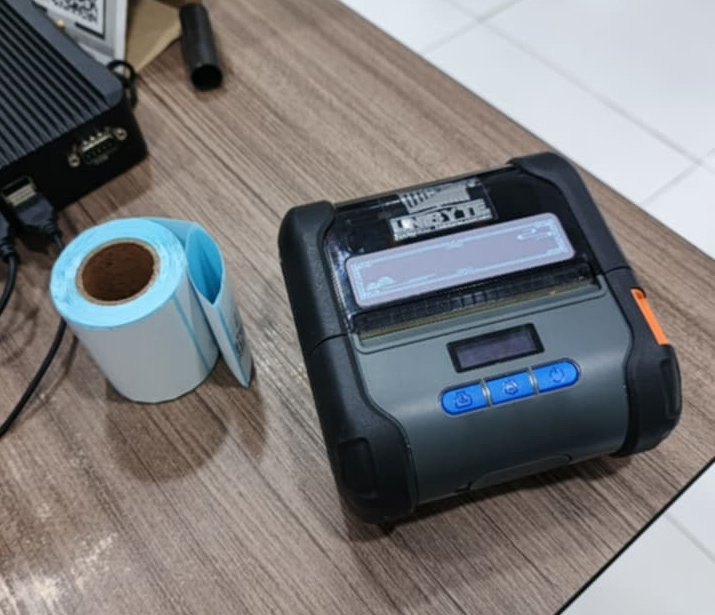
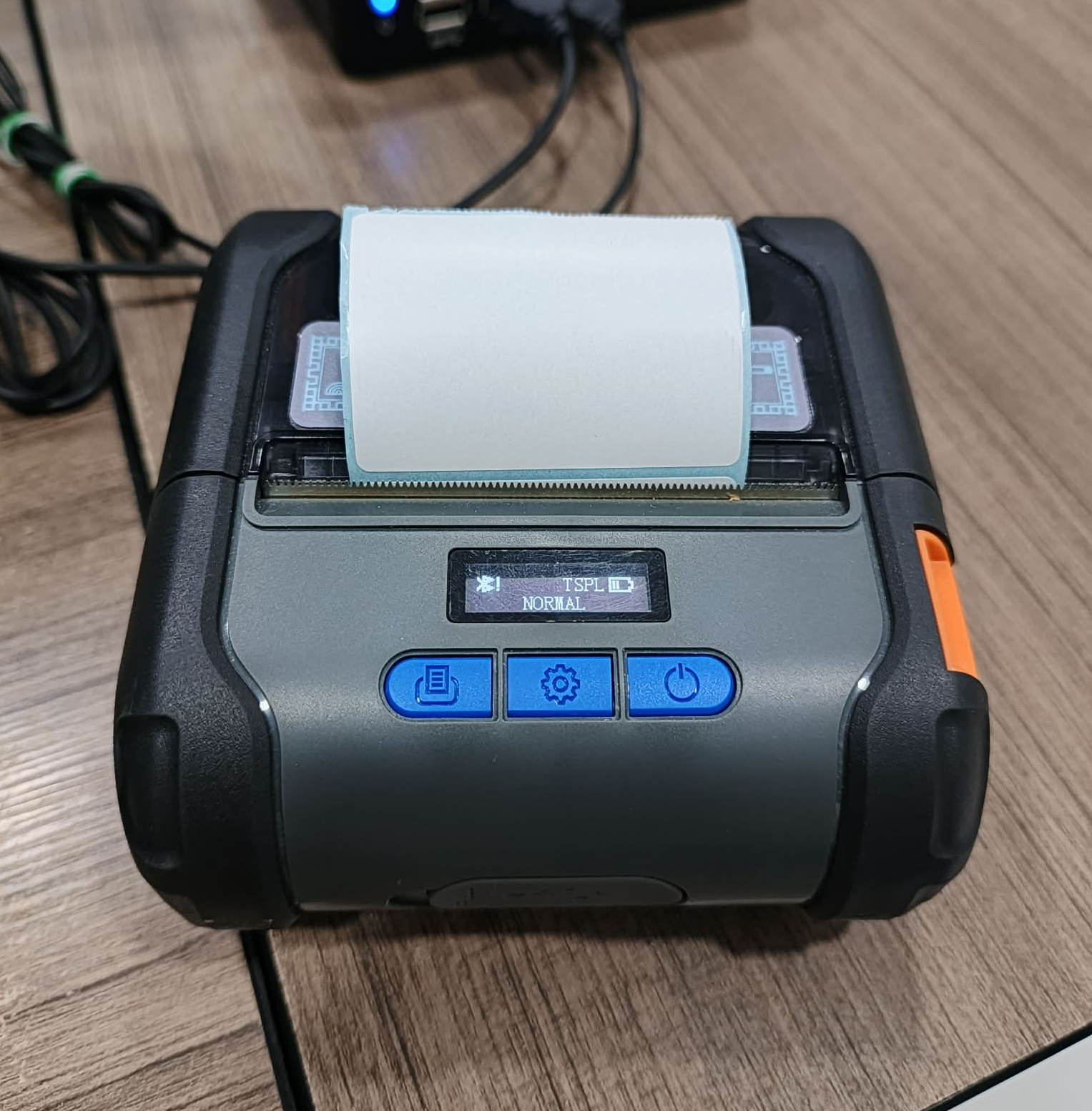
STEP 1: Prepare the "LABEL PRINTER and LABEL STICKER"
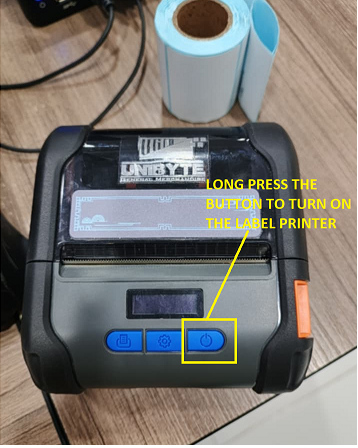
STEP 2: Long press the button to turn on the LABEL PRINTER
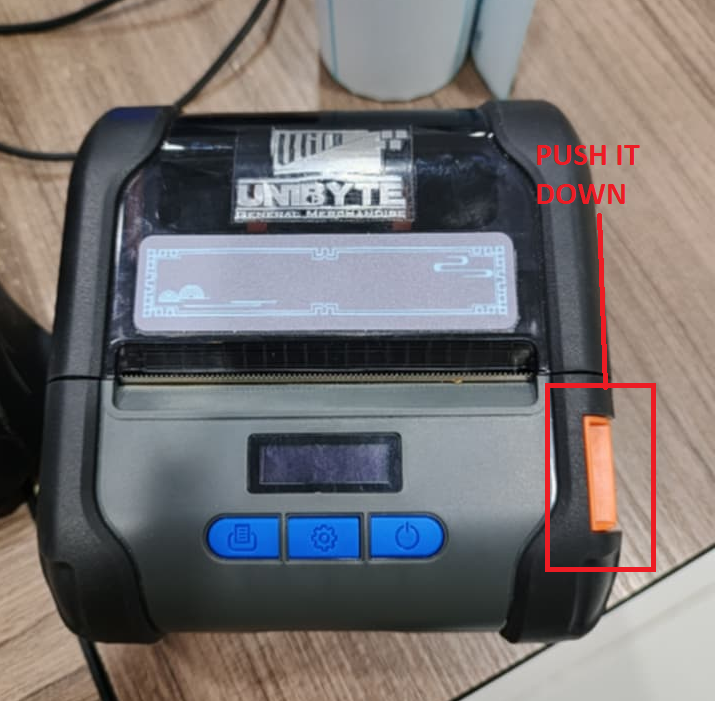
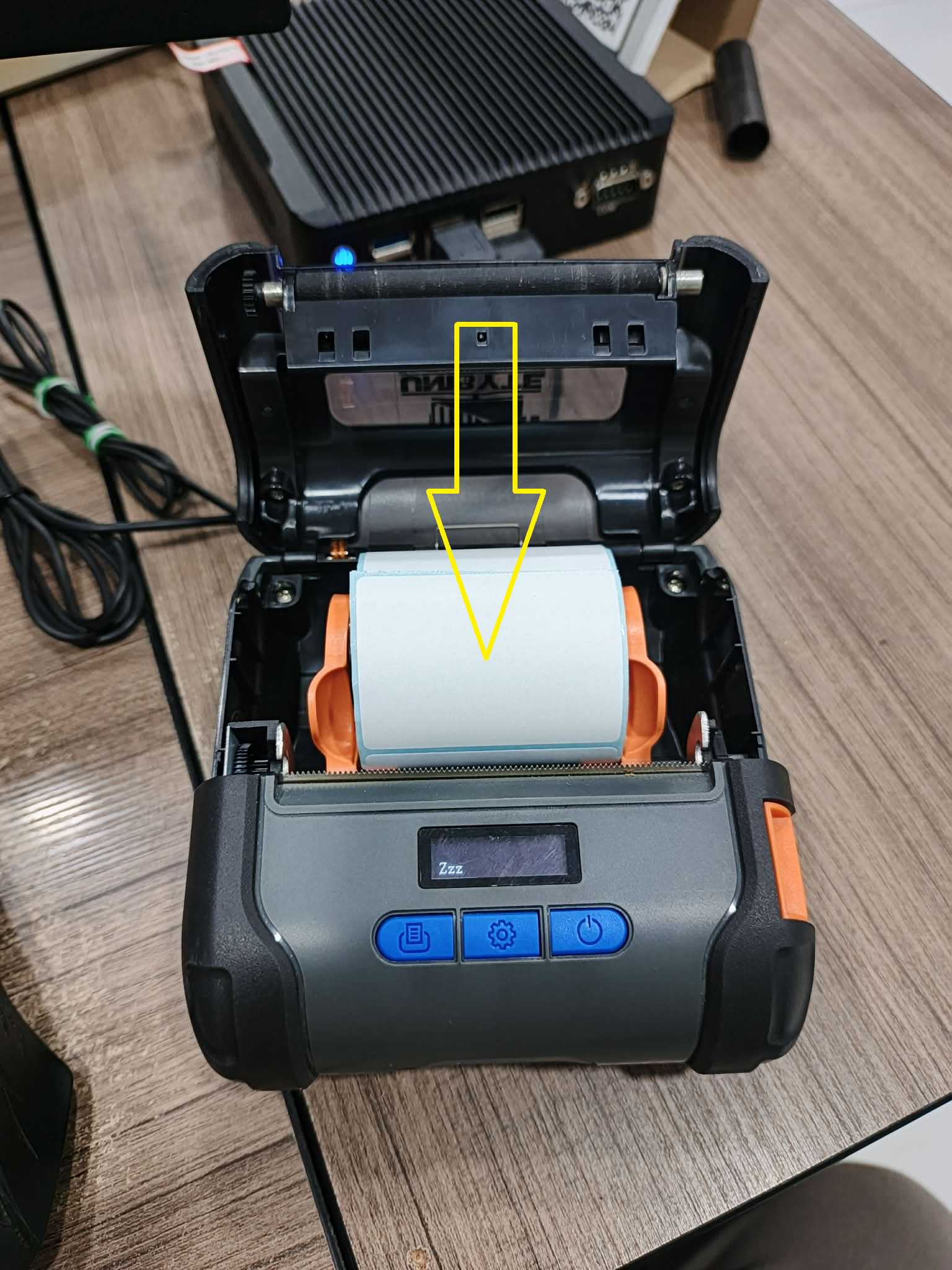
STEP 3: Push the button down to open the LABEL PRINTER
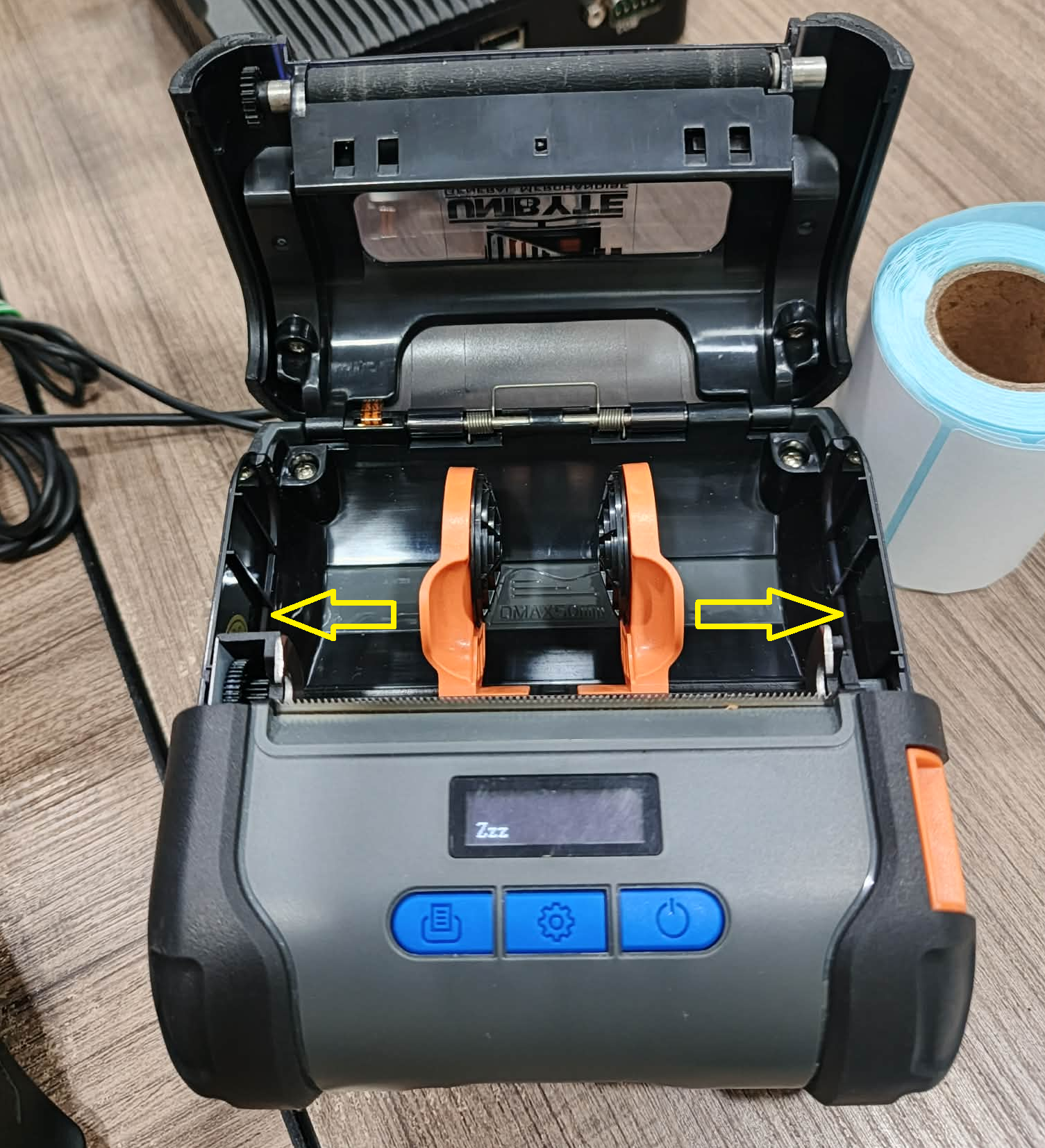
STEP 4: Once the printer is open, push this one to left or right direction
STEP 5: Put the LABEL STICKER inside and close it (make sure there is at least one sticker available to squeeze in the printer)
STEP 6: Once closed, The printer will automatically arrange the LABEL STICKER
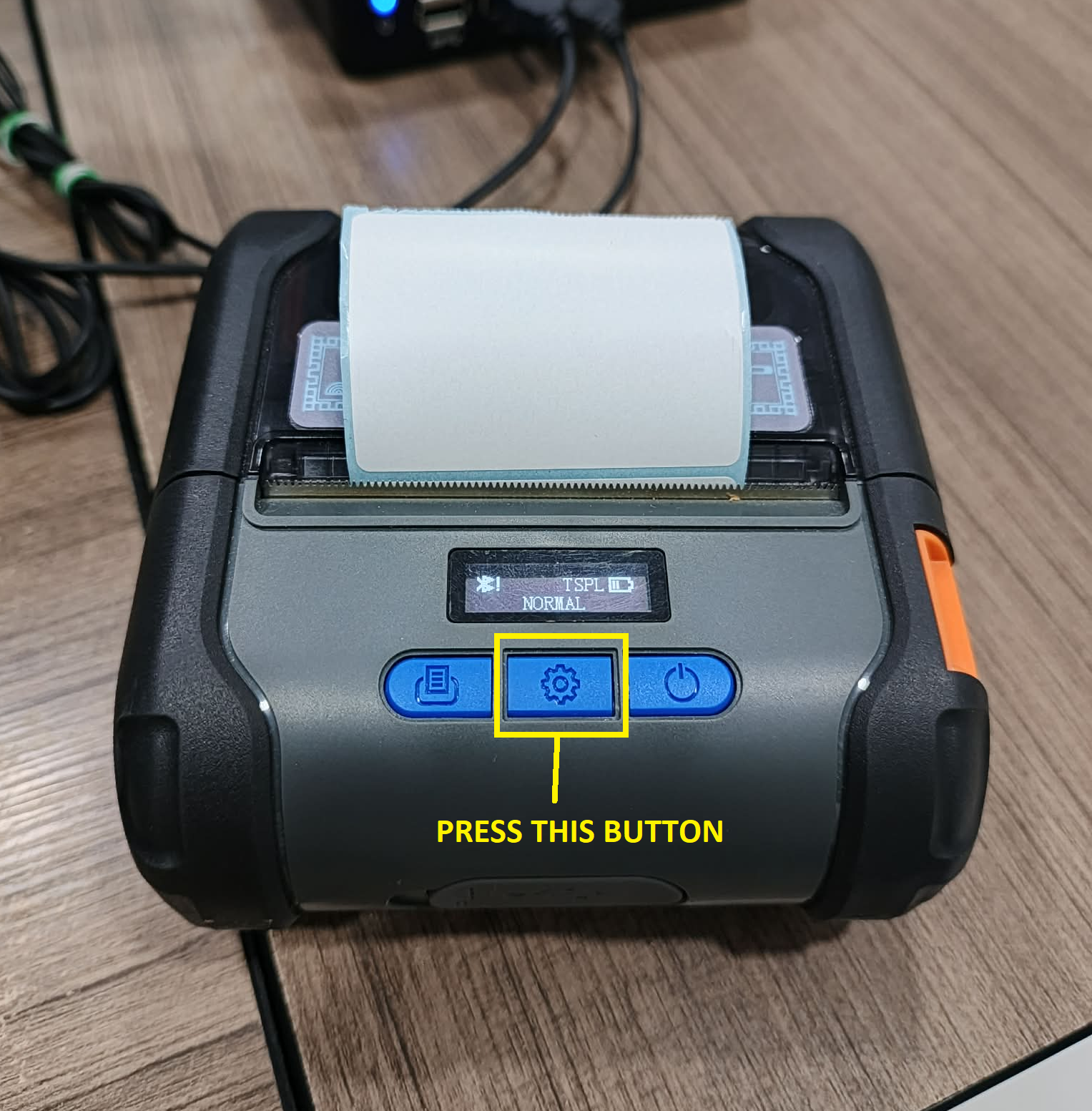
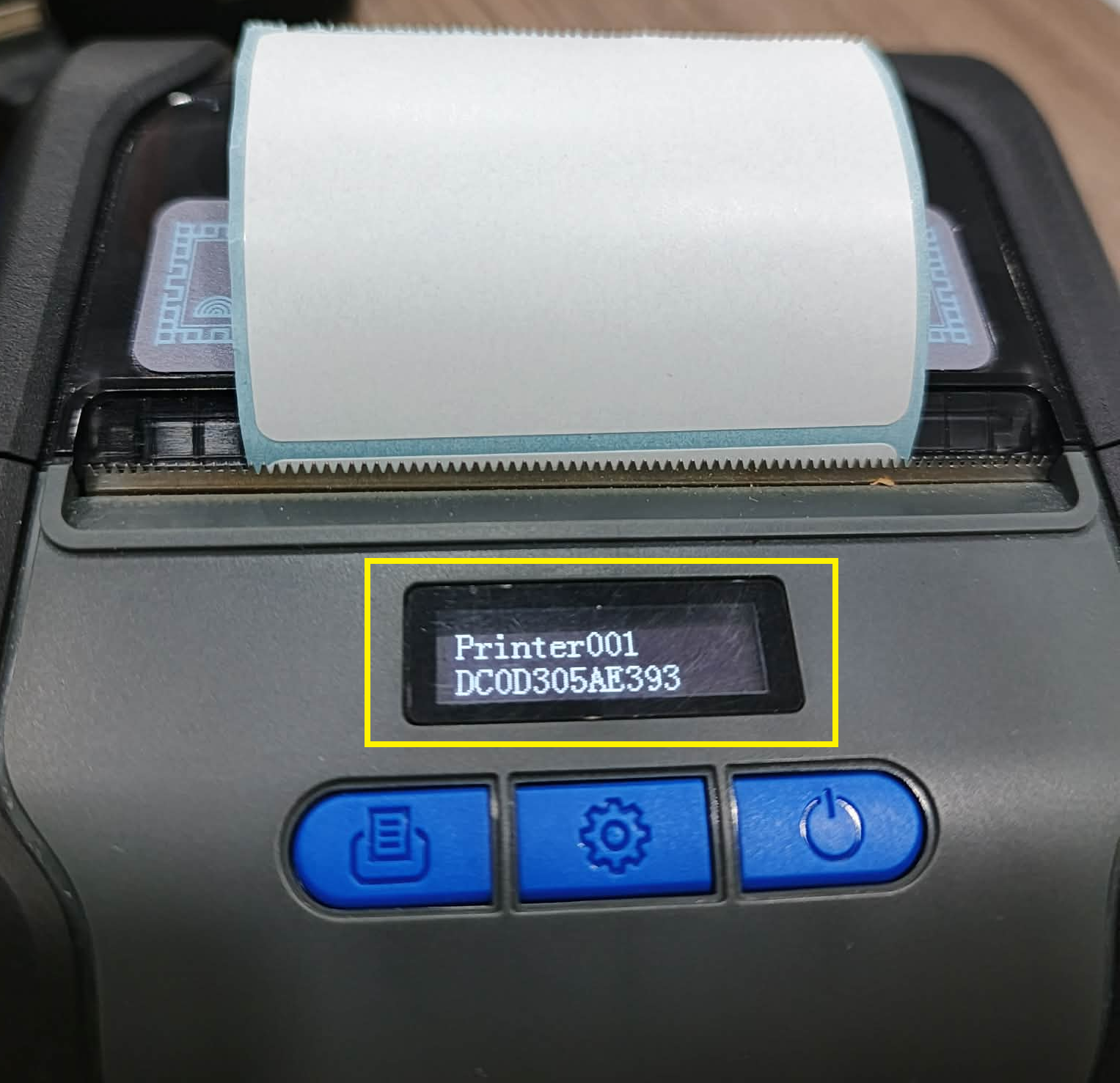
STEP 7: Press this button until you find the "BLUETOOTH INFO"
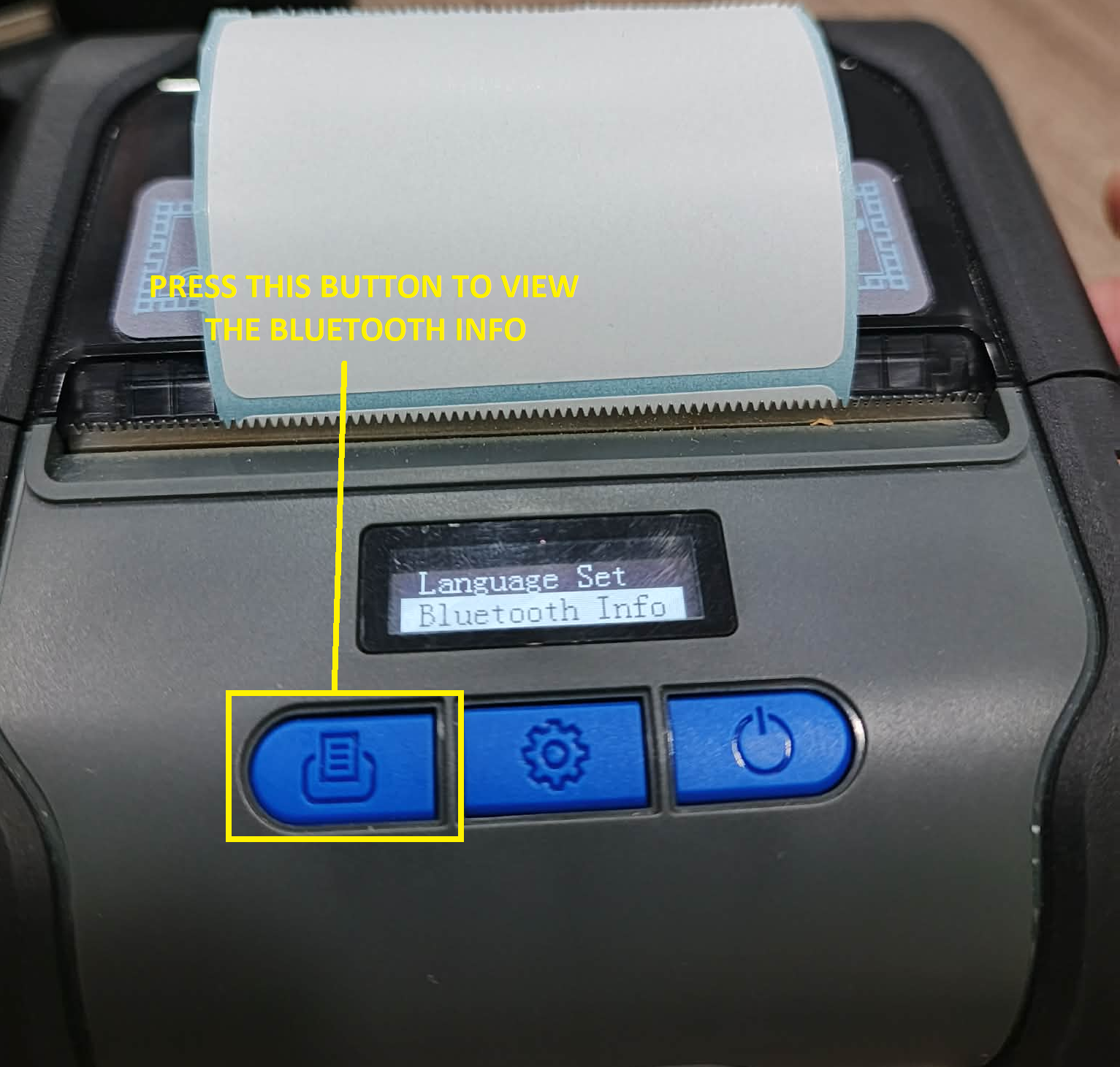
STEP 8: Once you find the "BLUETOOTH INFO" Press the button on the left and see the "BLUETOOTH INFO"
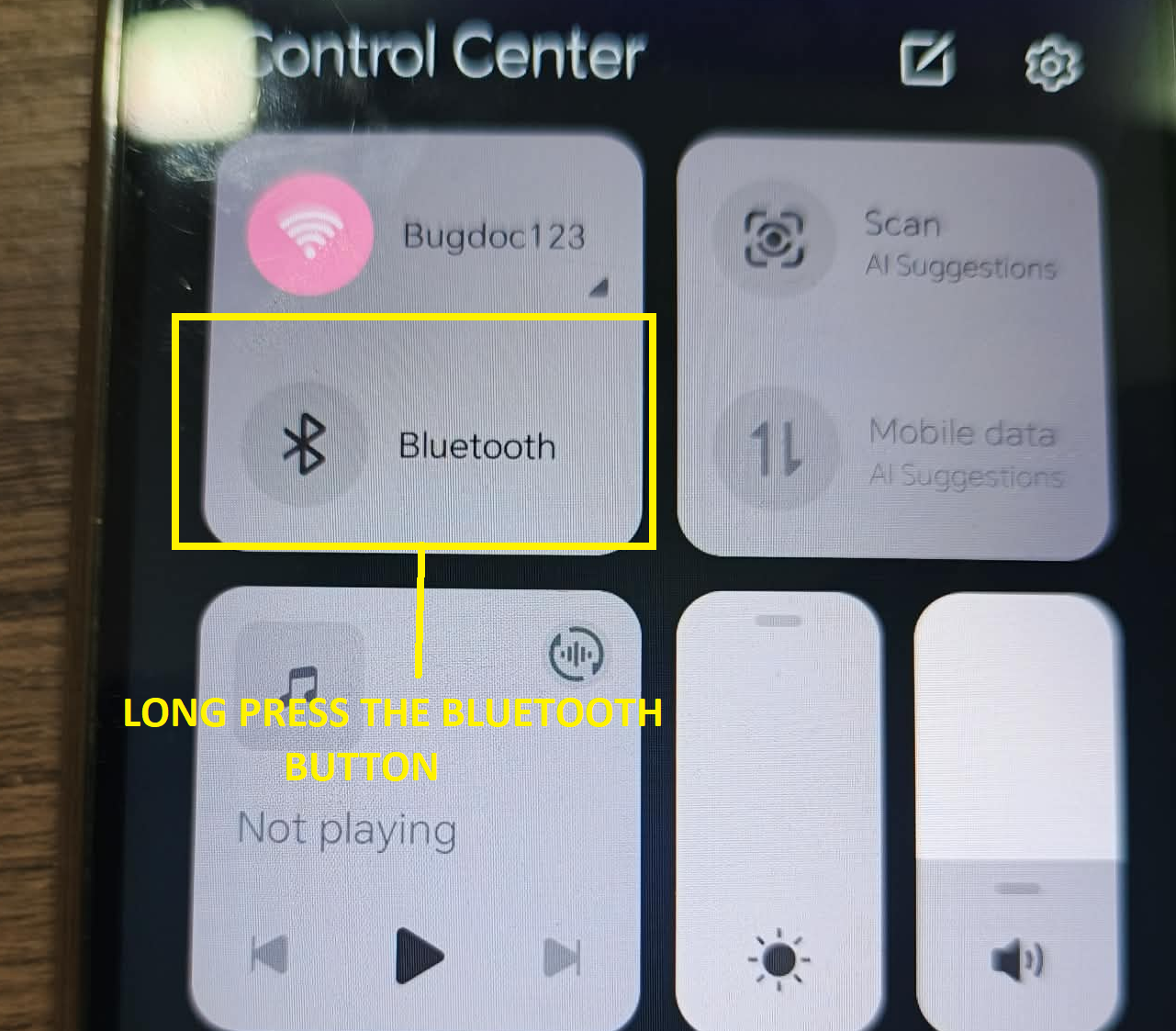
STEP 9: Go to your phone and find "BLUETOOTH" and long press it
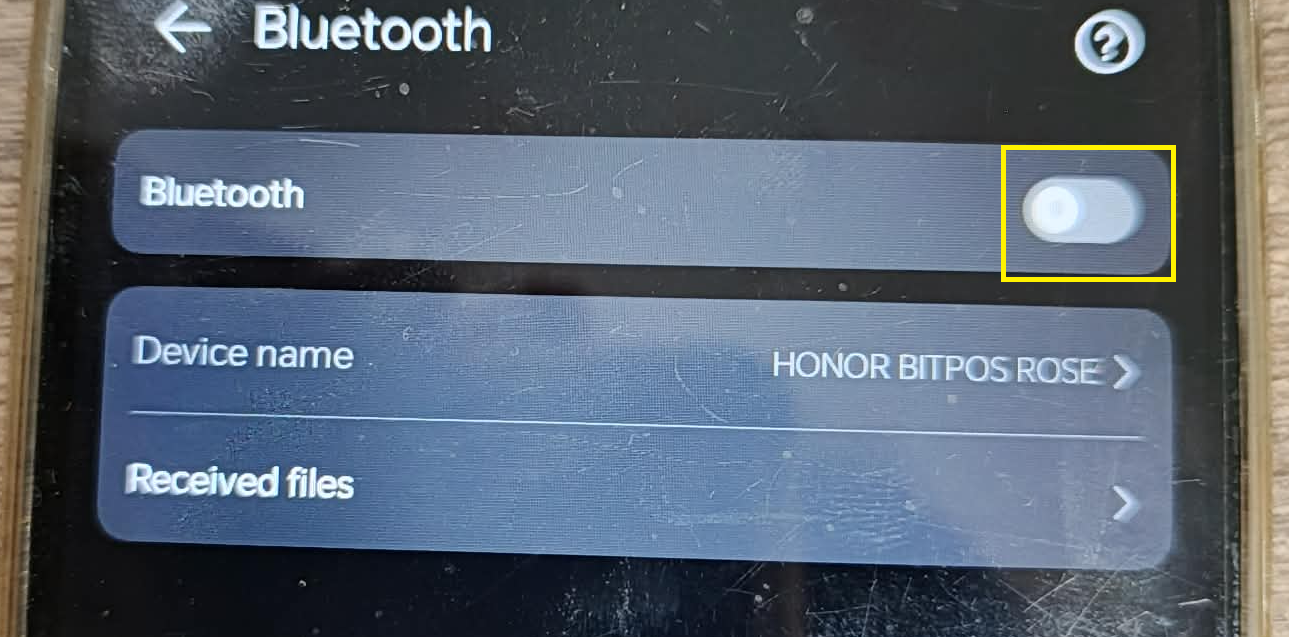
STEP 10: Turn the "BLUETOOTH" ON
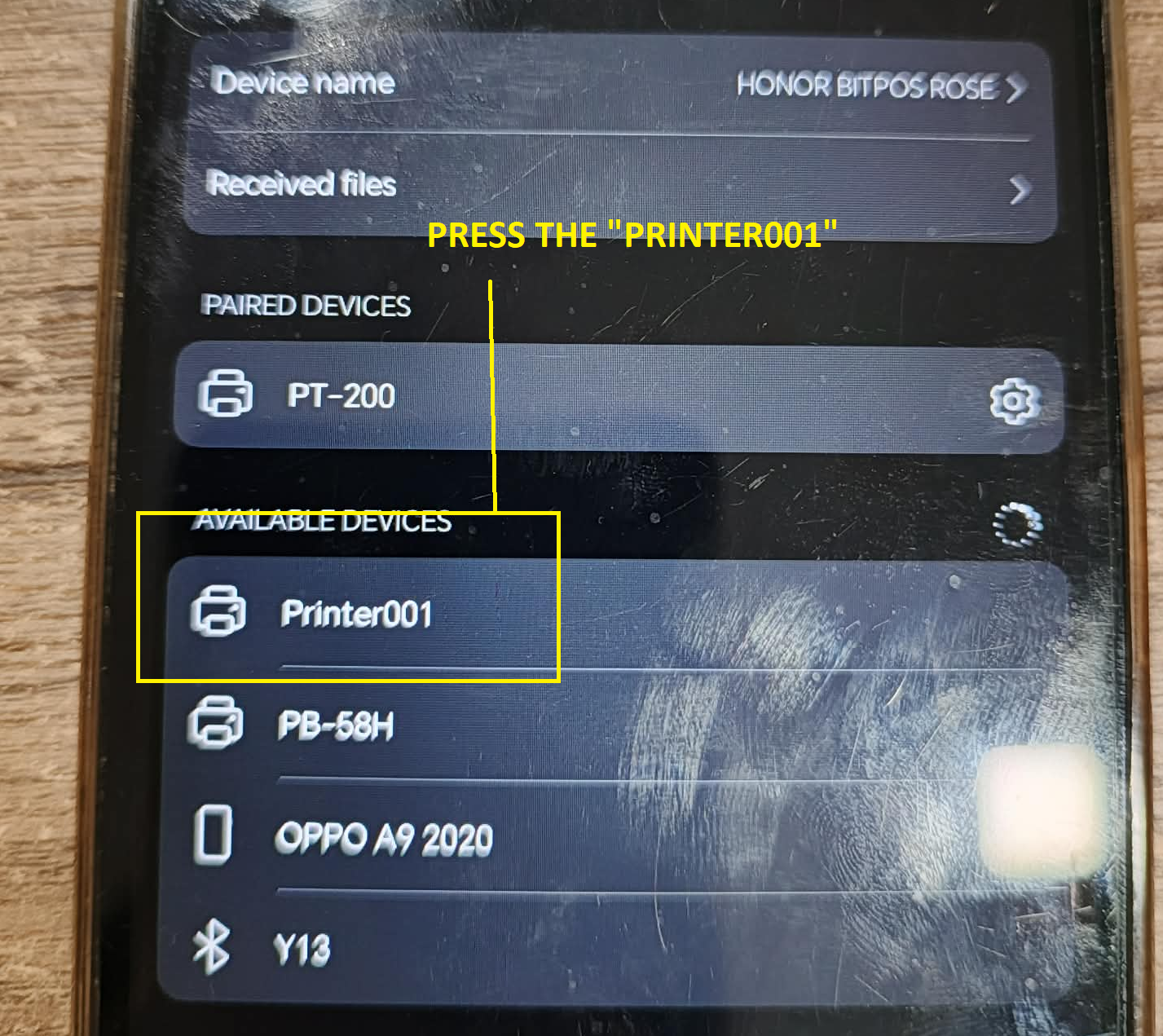
STEP 11: Find the printers 'BLUETOOTH INFO" which is the "Printer001"
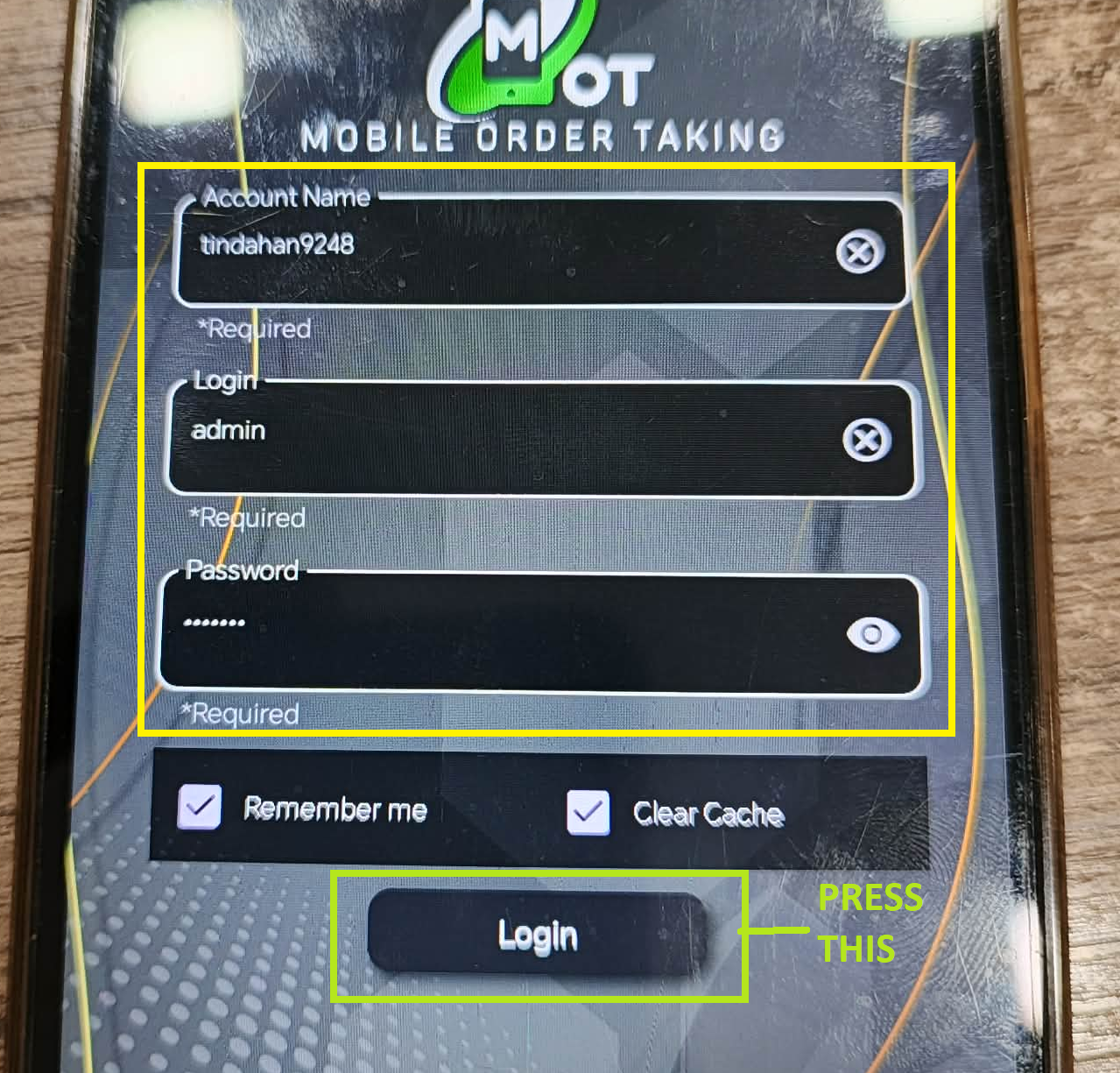
STEP 12: Now go to your Bitpos MOT and type ypur account's info and press "LOGIN"
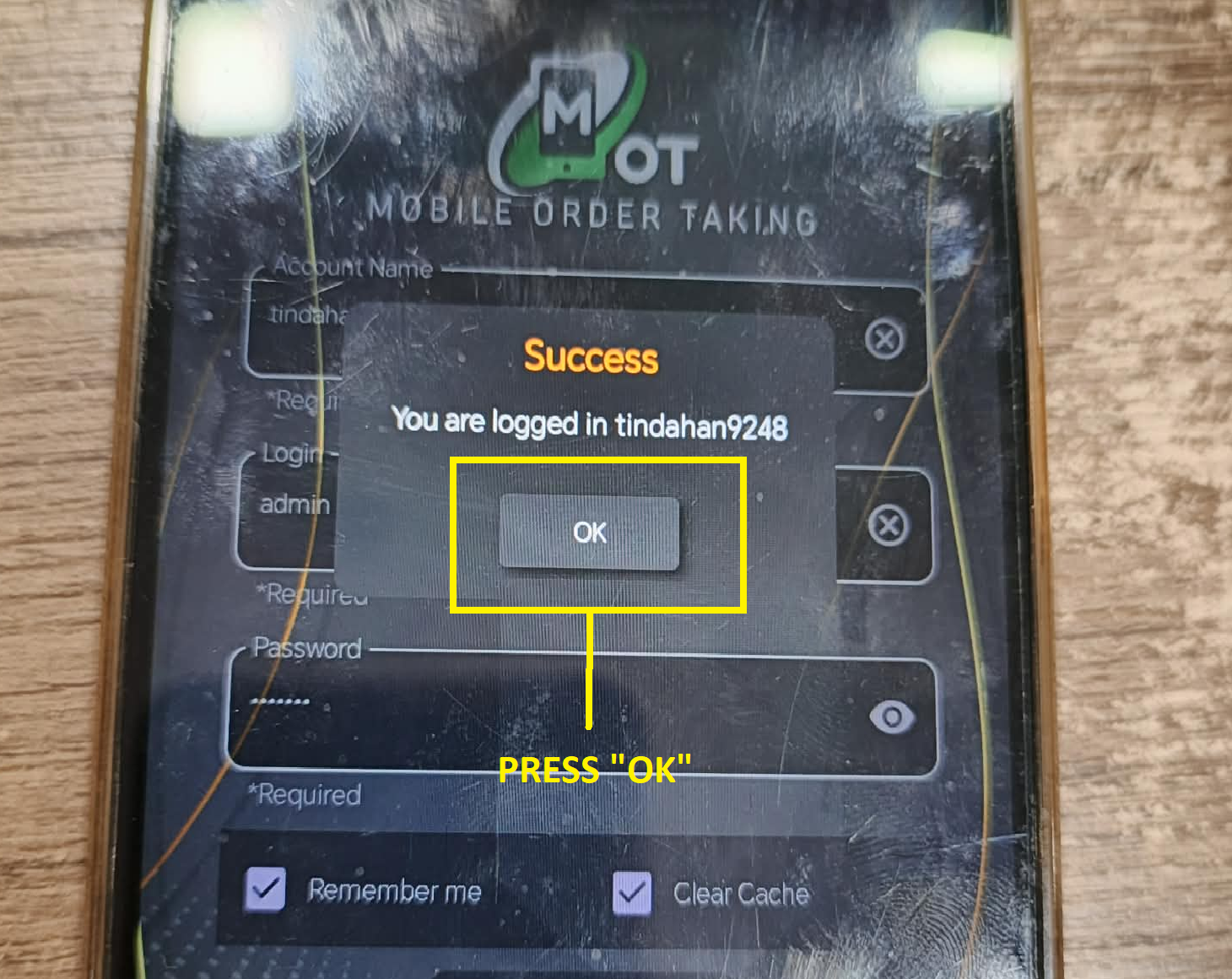
STEP 13: Now press "OK" and wait
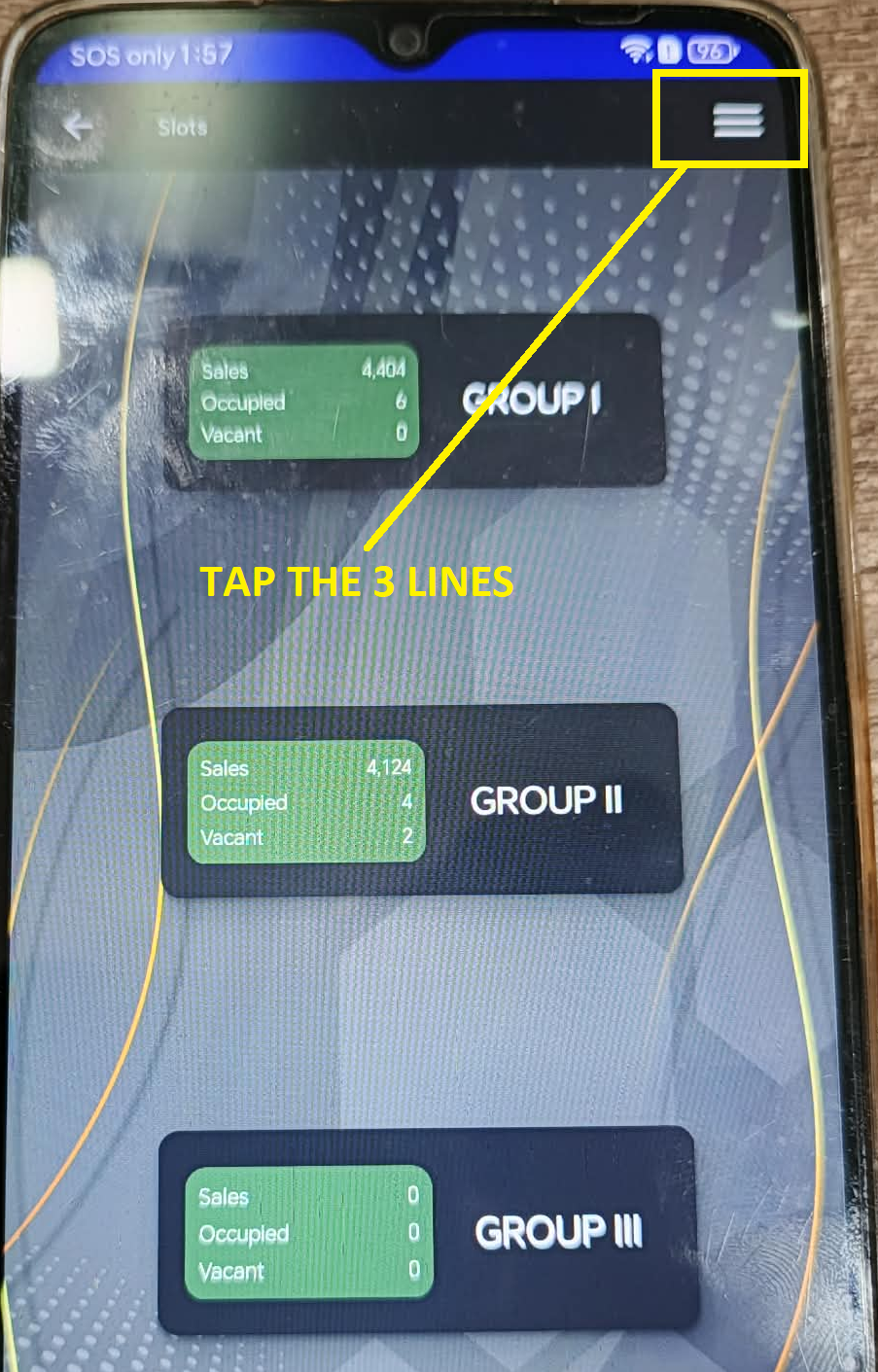
STEP 14: Tap the 3 lines in the top right
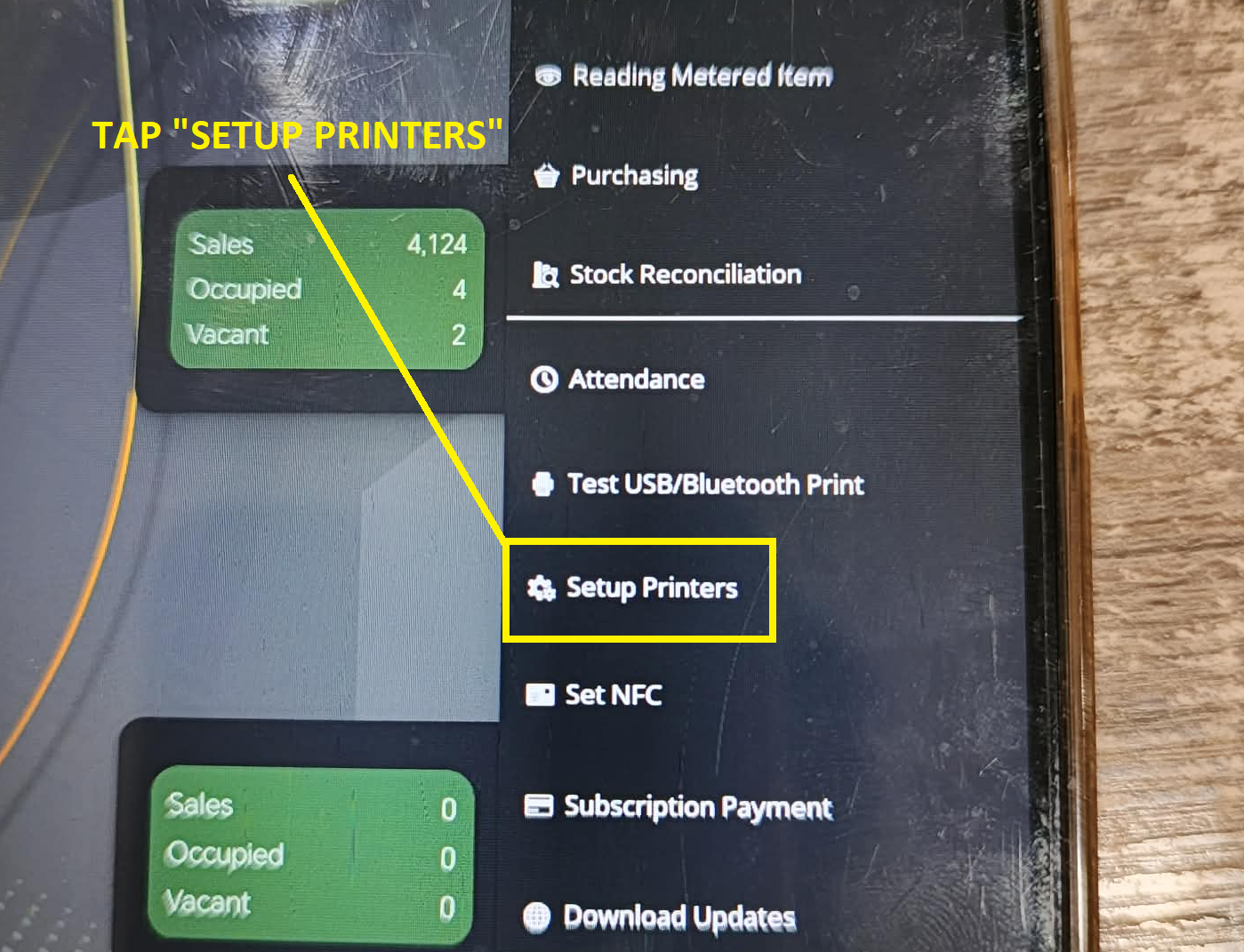
STEP 15: Next is Tap "SETUP PRINTERS"
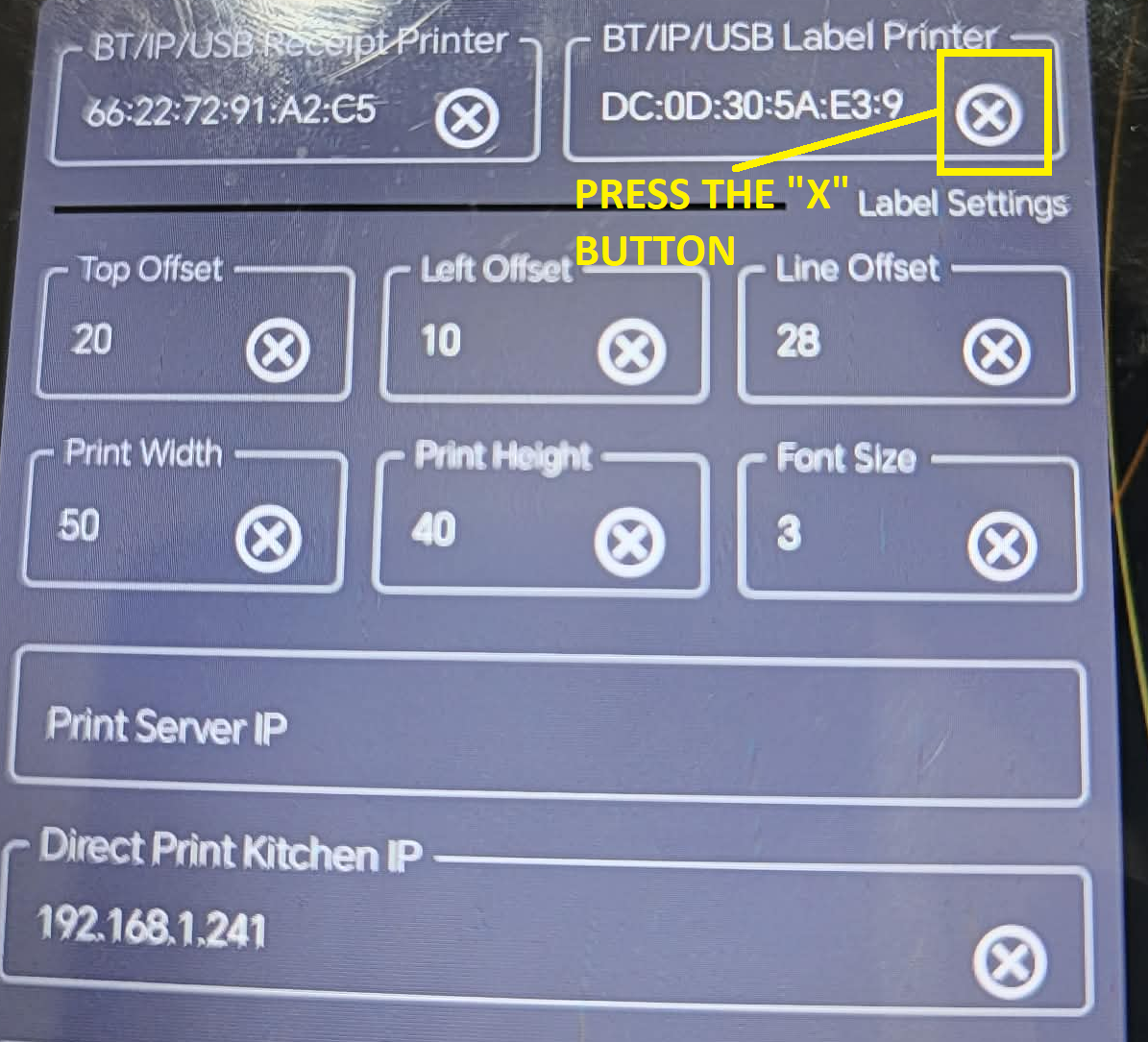
STEP 16: Now press the "X" button
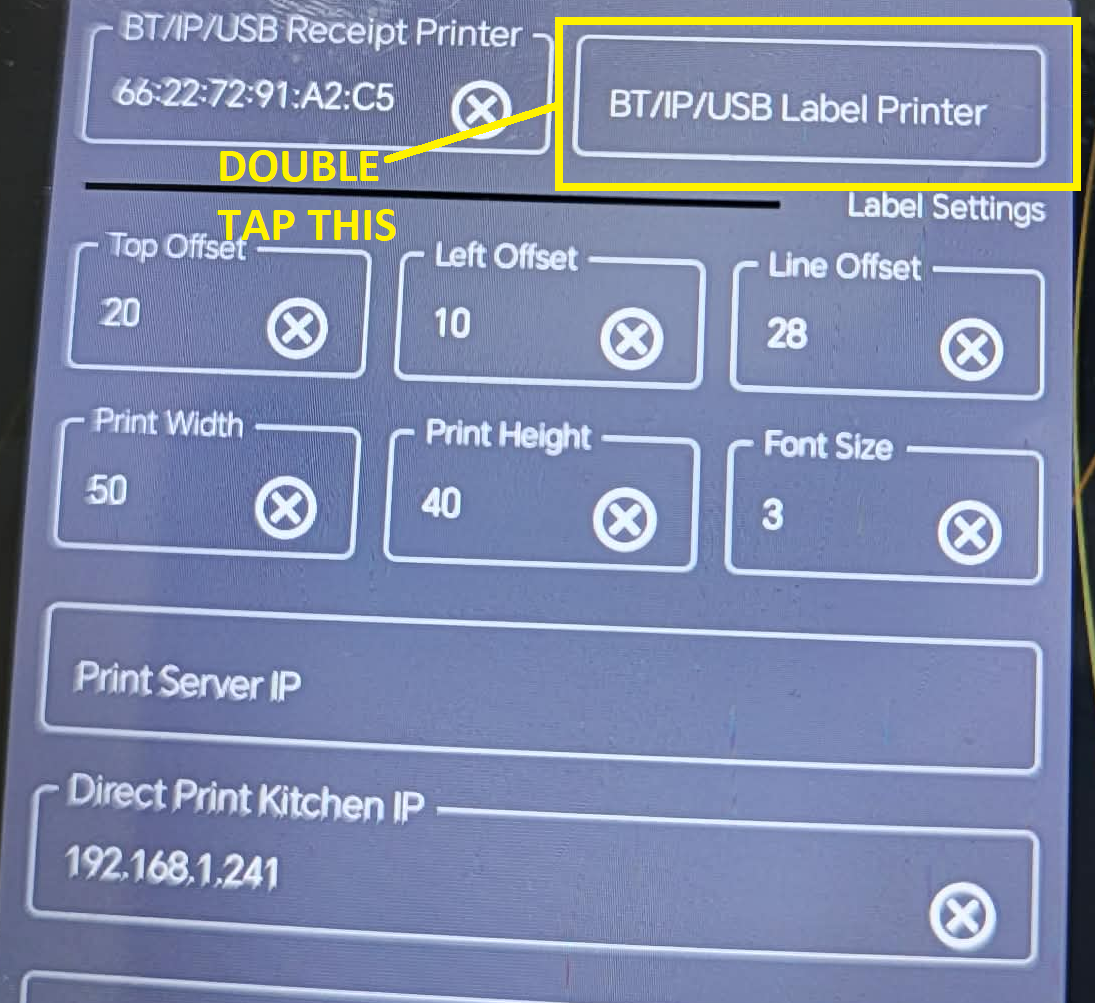
STEP 17: Next is double tap this menu