
Main /
Chart of Accounts
The Chart of Accounts is a structured list of all financial accounts used by the business to record transactions. It organizes accounts into categories such as Assets, Liabilities, Equity, Income, and Expenses, allowing accurate tracking, reporting, and analysis of the company’s financial activities.
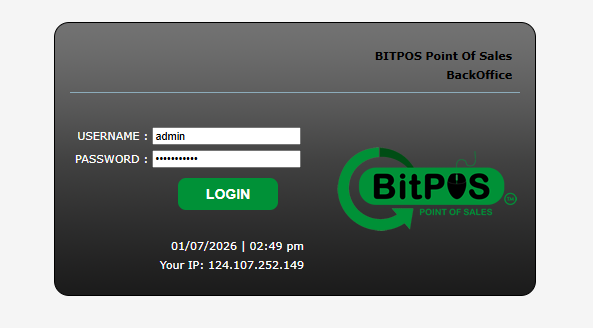
- STEP 1: Log In to the Back Office
- Access the Back Office using your admin credentials.
 |
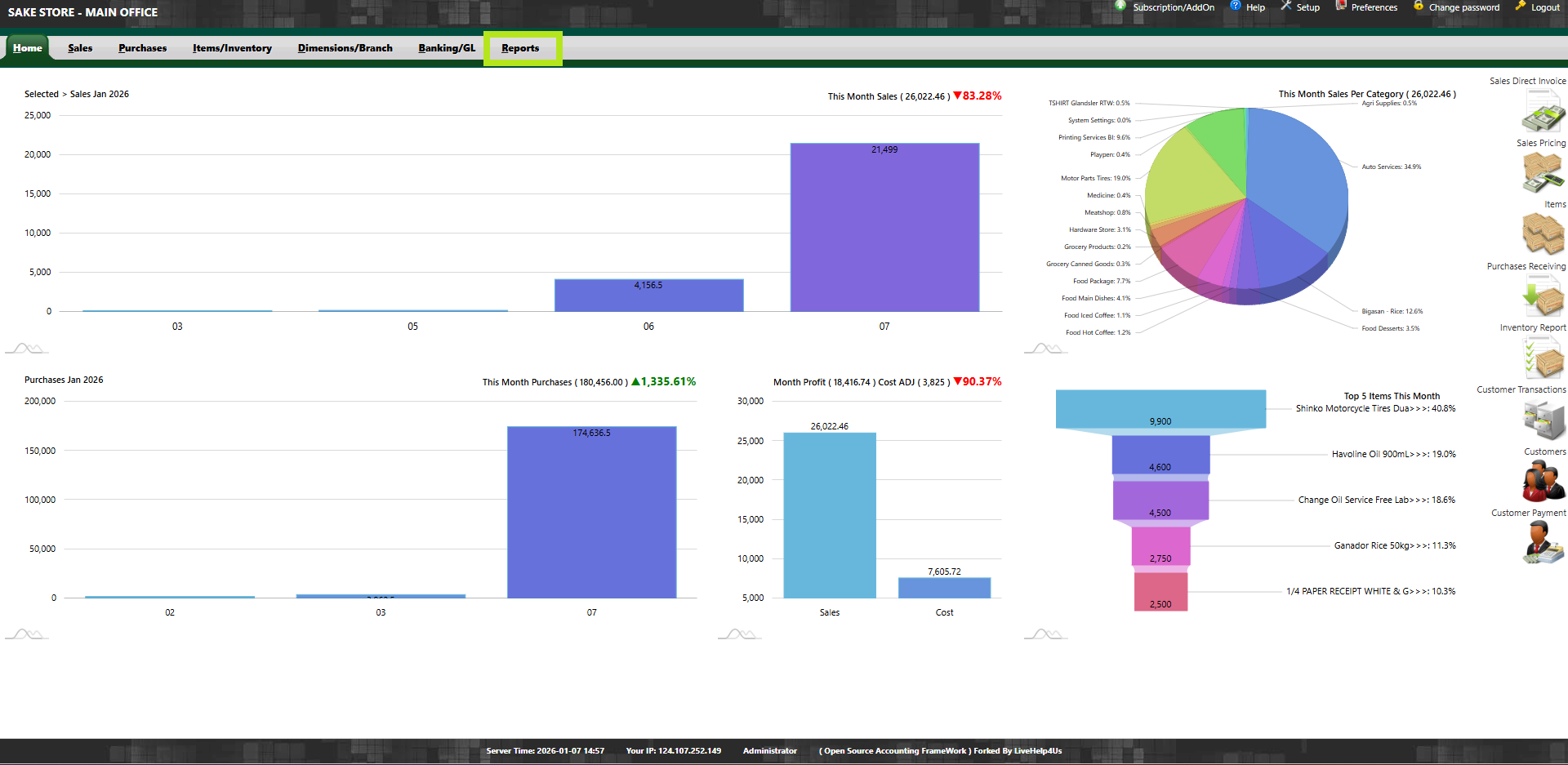
- STEP 2: Click Reports
- From the main menu, select Reports.
 |
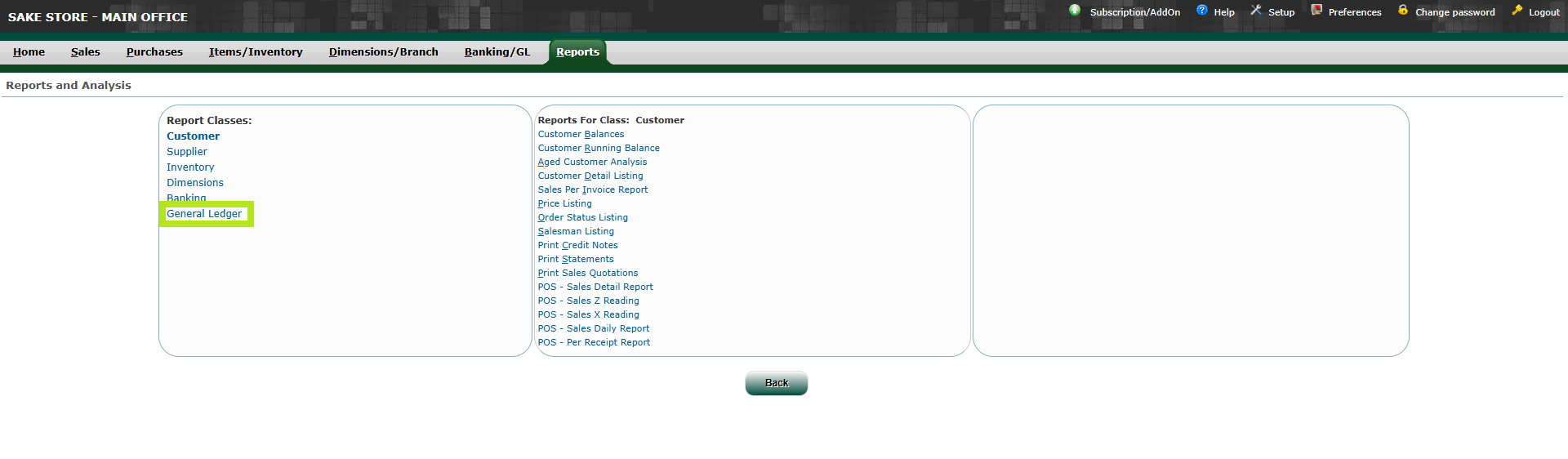
- STEP 3: Click General Ledger
- Under Reports, click General Ledger.
 |
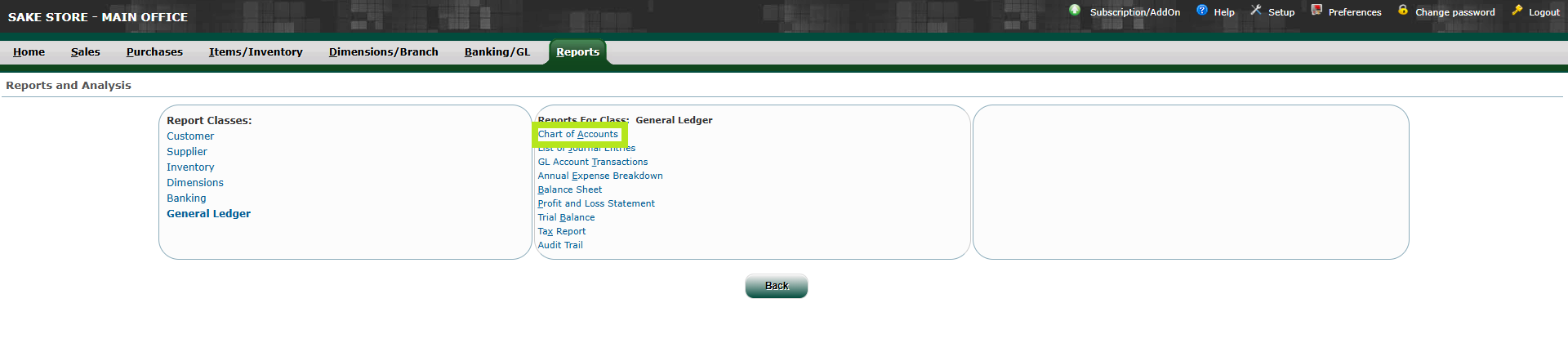
- STEP 4: Click Chart of Accounts
- Select Chart of Accounts to view all account listings.
 |
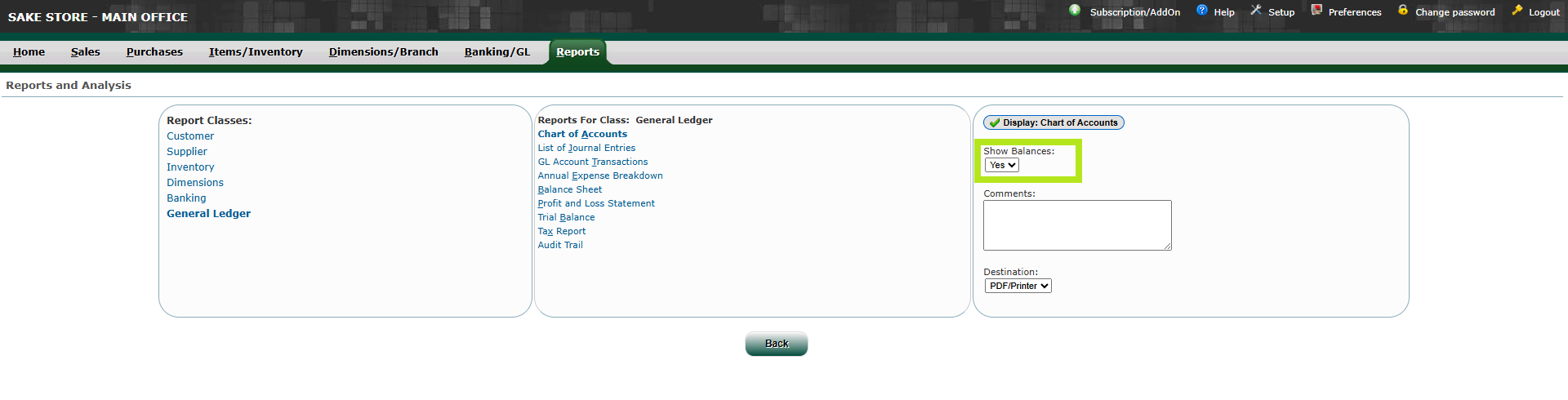
- STEP 5: Click Yes (Show Balances)
- Enable Show Balances to display current account balances.
 |
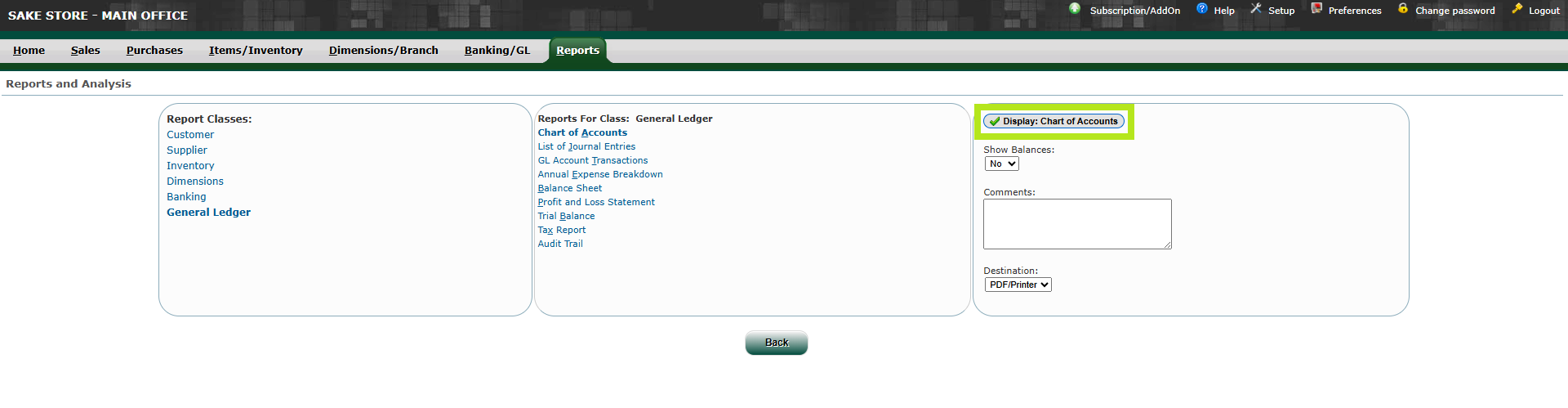
- STEP 6: Click Display
- Click Display to generate the Chart of Accounts report.
 |
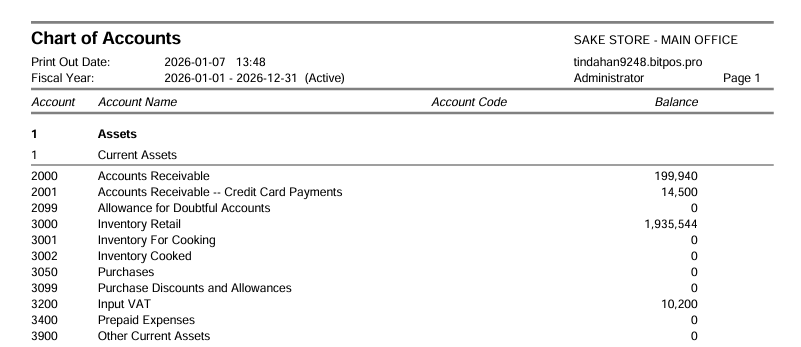
- STEP 7: View Chart of Accounts
- The system will display the complete Chart of Accounts for the selected fiscal year.
 |
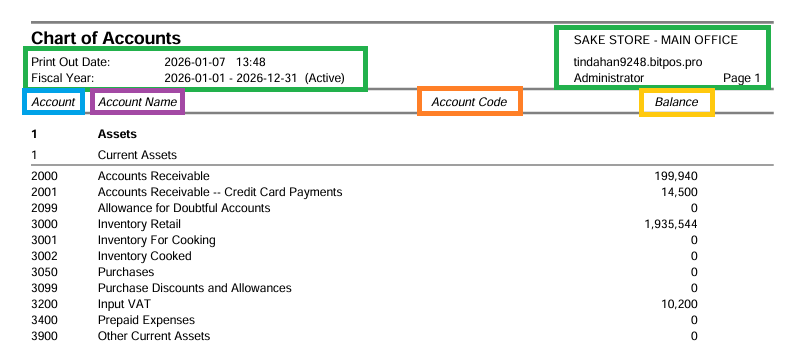
- STEP 8: Parts of the Chart of Accounts
- Date Printed and Fiscal Year – Shows the date the report was generated and the applicable fiscal year.
- Company Name – Displays the name of the company or branch the report belongs to.
- Account – Indicates the account classification or type (e.g., Asset, Liability, Expense).
- Account Name – Shows the descriptive name of each account.
- Account Code – Displays the unique code assigned to each account for identification.
- Balance – Shows the current balance of each account.
 |